Showing posts with label samsung. Show all posts
Showing posts with label samsung. Show all posts
Friday, September 29, 2017
Frp Bypass Tool Samsung Free Download
Frp Bypass Tool Samsung Free Download
Frp bypass tool latest setup has been released recently with lot of cool features. This latest setup of frp lock removal tool `supports you to unlock your smart phone with out any hesitation. Frp bypass tool supported the famous devices like Samsung, Motorola, Huawei and much more. Its process is so simple just install it on your computer and then you can able to remove your smart phones lock easily.
After installing it on your computer you can start your lock removal process freely. We shared its free and cleaned downloading link which supports you to easy and fast downloading and much more about this tool.

If you want to learn more about frp lock removal tool then click here. If you face any problem during its lock removal process or its installation then must contact us with commenting or directly facebook page.
Download frp tool
Rar Password=hup-tin
If you want to learn more about frp lock removal tool then click here. If you face any problem during its lock removal process or its installation then must contact us with commenting or directly facebook page.
Download frp tool
Rar Password=hup-tin
download file now

Wednesday, September 27, 2017
Firmware Samsung j1 SM J100H Indonesia XSE
Firmware Samsung j1 SM J100H Indonesia XSE
Jika kalian hobi Ngoprek Hp Samsung J1 (SM-J100H) dan melakukan kesalahan, Pasti pernah ngalamin yang namanya bootlop, hank, hp restart sendiri atau bisa juga tanpa di apa-apain hp langsung eror sendiri.
apapun penyebabnya asal 100% kerusakan sistem bisa di atasi dengan cara flash ulang, cara ini berlaku jika bukan karena jatuh atau tiduran karena ceroboh. meski beberapa kasus masih bisa di atasi dengan flash ulang gan, silahkan di coba saja.
di artike ini saya hanya akan membagikan Firmware Samsung j1 (SM-J100H) Indonesia XSE

-
Model SM-J100H Model name Galaxy J1 Country Indonesia Version Android 4.4.4 Changelist 980967 Build date Thu, 02 Feb 2017 13:35:43 +0000 Security Patch Level 2017-02-01 Product code XSE PDA J100HXXS0AQB1 CSC J100HOLB0APB2
Perlu diketahui untuk mendownload Firmware di atas kalian harus login dulu ke akun sammobile.com, jika kalian belum mempunayi akun silahkan daftar dulu dengan akun(gratis)
untuk cara pendaftarannya sudah saya jelaskan pada postingan Cara Daftar/Registrasi SamMobile Gratis Update 2017
Bila sudah mendaftar dan login tinggal lanjutkan pendownloadan dengan memilih REGULAR DOWNLOAD.
Pada bagian Confirm Download silahkan klik DOWNLOAD, nanti akan muncul top up di atas tunggu selama 30 detik sampai link download muncul.
apa bila ada tulisan Your download is now ready! dibagian Topup tadi silahkan klik DOWNLOAD.
dan proses download pun berjalan,
Bagaimana mudah bukan ? apa tutorial cara pendownloadannya bermanfaat ? bagi para master mungkin ini hal sepele,
sekian untuk artikel kali ini, jangan lupa kunjungi terus www.andii-android18.com dan semoga bisa membantu, teimaksih sudah berkunjung :)
download file now
eMMC Pro New Samsung Models Setup Download
eMMC Pro New Samsung Models Setup Download
eMMC Pro New Models
[31 May 2016]

Unofficial Support Site by Welcome Zone Haldwani
Description :
New Models Added
Release Notes:
News :Samsung S3 GT-I9300 Repair Pack
Samsung S3 SHW-M440 Repair Pack
Samsung SM-T230 Repair Pack
Samsung GT-I9200 Repair Pack
Samsung S3 GT-I9300 ISP Pinout
Samsung S3 M440 ISP Pinout
Samsung SM-T230 ISP Pinout
Samsung GT-I9200 ISP Pinoutg
You can now operate with almost all mobile phones with eMMC / eMCP inside !
Advanced eMMC Repair
Universal Device Programmer
Free eMMC Booster with eMMC Pro Hardware
JTAG Finder Started
Service Database for your center
eMMC Booster - Faster than Fastest !
eMMC PRo - Universal Device Programmer
www.eMMC-Pro.comdownload file now
Easy Way to Unlock Samsung Galaxy Ace T959 Using Z3x Box
Easy Way to Unlock Samsung Galaxy Ace T959 Using Z3x Box

There are many tools use in rooting but I preferred to used 91 Android Tool. Be sure that the handset is in USB debugging Mode. After successful rooting open Z3x Samsung tool. Click Read info then press unlock tab.


download file now
Sunday, September 24, 2017
Unlocking Samsung Prime SM G530H using Z3X Box
Unlocking Samsung Prime SM G530H using Z3X Box

TFT capacitive touchscreen, 16M colors, 5.0 inches (~66.0% screen-to-body ratio), Android OS, v4.4.4 (KitKat), Qualcomm MSM8916 Snapdragon 410, Quad-core 1.2 GHz Cortex-A53, GPU Adreno 306, LTE supported.
Root first using Odin USB debugging must on then after root open Z3X software then check EFS clear and hit flash next, Wipe EFS and lastly Write Cert which you can downloaded the file later or contact me for Cert file and root file.

Rooting Done

Write Cert done.
download file now
Friday, September 22, 2017
Fix Samsung Galaxy S7 Battery Drain Overheating Calibrate
Fix Samsung Galaxy S7 Battery Drain Overheating Calibrate
Your SAMSUNG GALAXY S7 battery drain very fast? Or does your SAMSUNG GALAXY S7 overheat?
This is a common problem among Samsung Galaxy S7 owners, however, there are a few things that you can try to do to fix the issue. Sometimes the draining is a direct result of apps installed on your device.

If your Galaxy S7 overheats then proceed with this guide to help solve the issue.
How to calibrate SAMSUNG GALAXY S7 battery without root access?
Method 1
- Discharge your SAMSUNG GALAXY S7 fully until it turns itself off.
- Turn it on again and let it turn off.
- Plug your phone into a charger and, without turning it on, let it charge until the on-screen or LED indicator says 100 percent.
- Unplug your charger.
- Turn your phone on. The battery indicator will likely not say 100 percent, so plug it in (leave your phone on for this) and continue charging until it says 100 percent on-screen as well.
- Unplug your phone and restart it. If it doesnt say 100 percent plug the charger back in until it says 100 percent on screen.
- Repeat this cycle until it says 100 percent (or as close as you think its going to get) when you start it up without being plugged in.
- Now, let your battery discharge all the way down to 0 percent and let your phone turn off again.
- Fully charge the battery one more time without interruption and you should have reset the Android systems battery percentage.
How to calibrate SAMSUNG GALAXY S7 battery with root access?
Even though it is not clear if clearing the batterystats.bin file has any meaningful effect on how the Android system reports remaining battery charge, there are those who swear by this method. So in the interests of fairness the process is included for you here (it is true that different manufacturers use the batterystats.bin file for different things). Its basically the same process as above but with the added step of a root-enabled app.Method 2
- Discharge your SAMSUNG GALAXY S7 fully until it turns itself off.
- Turn it on and let it discharge and turn off again.
- Plug your phone into a charger and, without turning it on, let it charge until the on-screen or LED indicator says 100 percent.
- Unplug your charger.
- Turn your phone on. The battery indicator will likely not say 100 percent, so plug it in (leave your phone on) and continue charging until it says 100 percent on the screen as well.
- Unplug your phone and restart it. If it doesnt say 100 percent, plug the charger back in until it says 100 percent on screen.
- You want to repeat this cycle until it says 100 percent (or as close as you think its going to get) when you start it up without being plugged in.
- Now, install the Battery Calibration app and, before launching it, make sure your battery is at 100 percent again, then restart.
- Immediately launch the app and recalibrate your battery.
- Once youve calibrated your battery, discharge it all the way down to 0 percent and let your phone turn off again.
- Fully charge the battery one more time without interruption and you should have reset the Android systems battery percentage.
download file now
Upgrade from Froyo to Gingerbread via Samsung KIES
Upgrade from Froyo to Gingerbread via Samsung KIES
Official Samsung Galaxy Mini Firmware Upgrade from Froyo to Gingerbread via Samsung KIES
Akhirnya samsung merelease juga firmware upgrade samsung galaxy mini ke gingerbread untuk Asia Tenggara (khususnya Indonesia). Bagi Anda pengguna galaxy mini sekarang dapat meng-upgrade galaxy mini anda dari froyo ke gingerbread menggunakan software samsung KIES terbaru, and yup!, akhirnya saya bisa merasakan gingerbread juga.. walaupun orang-orang udah bakal beralih ke Ice Cream bentar lagi.. hiks.. ya sudah lah.. dinikmati dulu aja nih gingerbread.. heuheuehuehu.. 

Berikut cara upgrade resmi samsung galaxy mini via samsung KIES, tapi sebelumnya berikut hal-hal yang perlu diperhatikan untuk proses upgrade ini:
- Anda butuh koneksi internet untuk download KIES dan untuk proses ugrade. Koneksi yg stabil dan kencang disarankan.
- Pastikan Galaxy Mini Anda full charged sebelum upgrade.
- Hindari gangguan yg memungkin gagalnya proses upgrade; mati listrik, battrey laptop habis, atau tutup aplikasi-aplikasi lain yg memungkinkan komputer anda hang sehingga menggagalkan proses upgrade.
- Backup data Galaxy Mini Anda.
- Anda butuh koneksi internet untuk download KIES dan untuk proses ugrade. Koneksi yg stabil dan kencang disarankan.
- Pastikan Galaxy Mini Anda full charged sebelum upgrade.
- Hindari gangguan yg memungkin gagalnya proses upgrade; mati listrik, battrey laptop habis, atau tutup aplikasi-aplikasi lain yg memungkinkan komputer anda hang sehingga menggagalkan proses upgrade.
- Backup data Galaxy Mini Anda.
Langkah-langkah upgrade resmi samsung galaxy mini via samsung KIES:
1. Download Samsung KIES PC Sync terbaru disini � Pusat layanan download sofware samsung Indonesia.
Atau untuk direct link download KIES 2.1.0.11112_41_7 (release date Dec 02, 2011).
Atau untuk direct link download KIES 2.1.0.11112_41_7 (release date Dec 02, 2011).

2. Install Samsung KIES di PC Anda.
3. Setelah terinstall sambungkan galaxy mini anda ke PC dan KIES akan mendeteksi galaxy mini anda serta memberikan notifikasi upgrade untuk firmware terbaru.

Klik update..
4. Firmware upgrade info dan persetujuan

Klik Start upgrade..
5. Downloading firmware upgrade component

6. Proses firmware upgrade

7. Upgrade galaxy mini ke gingerbread complete

Selanjutnya Anda dapat men-disconnectkan Galaxy Mini Anda dari KIES dan menikmati Galaxy Mini Gingerbread  .
.
.Catatan (update 8 Dec 2011) :
- Prose Upgarade Galaxy Mini dalam keadaan hidup dan full charged!
- SIM Card dan Memory tetap terpasang
VS9NJ2SVJV68
download file now
Download Samsung SM J200H Official Firmware Flash File
Download Samsung SM J200H Official Firmware Flash File
Samsung SM-J-200H or J2 official firmware Android version 5.1.1 lollipop direct download link on google drive.
Download official flash file for Odin or any other Samsung mobile flashing tool like Z3X tool or NS Pro.
This is official firmware form Samsung Odin flash file if your phone did not work properly or any other problem or you want to install Hindi language file on your phone then you can flash this file easily without help of any other flash device just use Odin and Samsung USB driver flash your phone at home.

Download
Download official flash file for Odin or any other Samsung mobile flashing tool like Z3X tool or NS Pro.
This is official firmware form Samsung Odin flash file if your phone did not work properly or any other problem or you want to install Hindi language file on your phone then you can flash this file easily without help of any other flash device just use Odin and Samsung USB driver flash your phone at home.
This file is being rooted or auto rooted file if you want to root your phone and need rooted flash file of j200h then you can download this file and easily root your phone.
About:
Device Name : Samsung Galaxy J2
Device Model : SM-J200h
Regional Code:,INDIA
Regional Country ,INDIA
OS Name : Lollipop
OS Version : J200FXXU0AOB5(5.1.1)
Device Name : Samsung Galaxy J2
Device Model : SM-J200h
Regional Code:,INDIA
Regional Country ,INDIA
OS Name : Lollipop
OS Version : J200FXXU0AOB5(5.1.1)
How To flash SM-J200H With Odin?
- :Download file form official Rapid Gator Mirror or given link on google drive.
- :After download zip file extract it:
- :Open Odin3v1.87 or latest version of odin or any professional flashing tool like Z3X BOX or NSPRO.
- :Then select one by all the files where you extract the zip file.
- :Then without clicking any where just on start or flash button and wait until don.
- :Important request do not flash if you are new in flashing.
- :If you want to do that the check you mobile battery charge up to 50%.
- If you did,t have Samsung USB Drivers then Click here
- When phone connected with PC on Odin ID:COM will show com port.
- Then without clicking any where just click on start button.
- After flash don phone will be restart automaticly.
- so you have flash you Samsung SM-J200H.
Download
download file now
Ultimate Multi Tool GSM v1 9 Samsung Flasher Direct Download
Ultimate Multi Tool GSM v1 9 Samsung Flasher Direct Download
Ultimate Multi Tool - GSM v1.9 Samsung Advance Flasher Direct Download

Whats New:
[x] Samsung Advance Flasher
--- Get list of all files inside TAR, so you can flash only what you want.
--- No headache to make TAR if you need to flash only single partition.
------ For example, you flashed custom Recovery and want to flash back Stock Recovery.
------ So no need to flash full firmware, just uncheck all others and flash only Recovery.
------ For example, you flashed custom Recovery and want to flash back Stock Recovery.
------ So no need to flash full firmware, just uncheck all others and flash only Recovery.
--- Get list of all partitions in phone, and their size.
--- Flash any file to any partition you choose.
------ You can write back Android Utils Backup in Download Mode, eg. Raw EFS/CEFS.
--- Handy feature to flash partitions which are not mapped in PIT. eg. PERSIST, CARRIER etc etc.
[x] Samsung Wipe Tool
--- Get partition list, and select any partition you need to wipe.
[x] New Security FRP Reset via Reset Pack - *** Exclusive ***
--- On new security firmware, software will inform you on FRP reset.
--- Select your phone model correctly in FRP Reset Package and click on Apply.
--- Once done, you can Reset FRP in single click.
--- No more hunt for Reset Package or need of Odin to flash.
------- If you get a new model which is not listed, just post screenshot of information read by UMT.
------- We will provide you Reset Pack in few hours.
------- Now some people who copied our Reset Package and were shouting louder, will try to copy us again.
[x] Samsung Advance FRP/RL/EE Reset
--- Now you can Reset FRP on almost all Samsung Phones
--- Improved Reactivation Lock Reset
--- Improved EE/Rent Center Reset
--- Now it can tell you if phone has protected firmware.
--- Not Found message changed to Not Supported for better understanding.
--- Reset Pack for following models are included:
------ SM-A800F
------ SM-G550FY
------ SM-G920T
------ SM-J200G
------ SM-J500F
------ SM-J700F
------ SM-N920G
------- If you get a new model which is not listed, just post screenshot of information read by UMT.
------- We will provide you Reset Pack in few hours.
------- Now some people who copied our Reset Package and were shouting louder, will try to copy us again.
[x] Tested Samsung Model for Flashing:
--- SM-A800F
--- SM-J200G
--- SM-J500F
--- SM-J700F
--- SM-N900P
--- SM-N915P
--- SM-N20G
--- GT-I9250M
--- SC-04D
--- GT-S7562
---- You can flash any Samsung Phone with UMT now.
--- Flash any file to any partition you choose.
------ You can write back Android Utils Backup in Download Mode, eg. Raw EFS/CEFS.
--- Handy feature to flash partitions which are not mapped in PIT. eg. PERSIST, CARRIER etc etc.
[x] Samsung Wipe Tool
--- Get partition list, and select any partition you need to wipe.
[x] New Security FRP Reset via Reset Pack - *** Exclusive ***
--- On new security firmware, software will inform you on FRP reset.
--- Select your phone model correctly in FRP Reset Package and click on Apply.
--- Once done, you can Reset FRP in single click.
--- No more hunt for Reset Package or need of Odin to flash.
------- If you get a new model which is not listed, just post screenshot of information read by UMT.
------- We will provide you Reset Pack in few hours.
------- Now some people who copied our Reset Package and were shouting louder, will try to copy us again.
[x] Samsung Advance FRP/RL/EE Reset
--- Now you can Reset FRP on almost all Samsung Phones
--- Improved Reactivation Lock Reset
--- Improved EE/Rent Center Reset
--- Now it can tell you if phone has protected firmware.
--- Not Found message changed to Not Supported for better understanding.
--- Reset Pack for following models are included:
------ SM-A800F
------ SM-G550FY
------ SM-G920T
------ SM-J200G
------ SM-J500F
------ SM-J700F
------ SM-N920G
------- If you get a new model which is not listed, just post screenshot of information read by UMT.
------- We will provide you Reset Pack in few hours.
------- Now some people who copied our Reset Package and were shouting louder, will try to copy us again.
[x] Tested Samsung Model for Flashing:
--- SM-A800F
--- SM-J200G
--- SM-J500F
--- SM-J700F
--- SM-N900P
--- SM-N915P
--- SM-N20G
--- GT-I9250M
--- SC-04D
--- GT-S7562
---- You can flash any Samsung Phone with UMT now.
[x] ZTE Modem - Unlock / Relock
--- K4201i
--- MF61
--- R206-z
[x] Improved DRK Repair
--- Now it will check DRK Repair Status (Need UART).
--- Error message is now more descriptive.
--- K4201i
--- MF61
--- R206-z
[x] Improved DRK Repair
--- Now it will check DRK Repair Status (Need UART).
--- Error message is now more descriptive.
How to Download:
_____________________________________
- Download UMT Support Access.
- Connect UMT Box/Dongle to PC and Run UMT Support Access.
- Download UMT_GSM_1.9.exe from Installer folder.
- Do not use any Download Manager.
- Enjoy!
download file now
Wednesday, September 20, 2017
Download Samsung Galaxy J1 Official Firmware
Download Samsung Galaxy J1 Official Firmware
Samsung Galaxy J1 Firmware Details
Downloads
- Device Name: Galaxy J1
- Model: SM-J100H
- Product Code: EGY, LUX, SKZ, SER
- Region: Egypt, Luxembourg, Kazakhstan, Russia
- PDA: J100HXXU0AOA2, J100HXXU0AOA1
- Version: Android 4.4.4
- Build Date: 02.01.2015, 01.01.2015
- Changelist: 332283, 333157
Downloads
- Odin v3.09 ? Download Link
- USB Driver ? Download Link
- Firmware File ? Download Link
Instructions
- Download the firmware from the above link
- Extract the firmware file
- Extract Odin file
- Open Odin v3.09
- Reboot phone in Download Mode (by press and hold Home + Power + Volume Down buttons)
- Connect phone and wait until you get a blue sign in Odin
- Add the firmware file to AP / PDA
- Make sure re-partition is NOT ticked
- Click the start button, sit back and wait a few minutes
- Congratulation latest firmware has been installed on your device
- Checking by Goto -> Settings -> About device in your mobile
download file now
Tuesday, September 19, 2017
Download Samsung S5 SM G 900H Official Firmware for India
Download Samsung S5 SM G 900H Official Firmware for India
On this post we are going to share with you Samsung Galaxy S5 SM-G900F,M,H,S official firmware Android 5.1.1 direct download without any waiting or any registration on site just click on download link and download will start.
You can download these files for you region if you are form India or china then easily download file form giving link for your regional language files and apps.
This is official firmware form Samsung Odin flash file if your phone did not work properly or any other problem or you want to install Hindi language file on your Samsung S5 SM-G-900H then you can flash this file easily without help of any other flash device just use Odin and Samsung USB driver flash your phone at home.

Same time you are unable to flash your SM- G-900H with Odin then you have to root you phone then you can flash it whit odin if you want to just root you SM- G-900H on android 5.1 then you can download Samsung Galaxy S5 SM- G-900H Root file we share lt,s download link also. If after enter in to download mode and Odin fail to flash your SM G-900H then download then root file and write it Odin then try to flash which ROM you download Odin will flash then.
After Root same case phone did not boot normal and restarting on Samsung logo then put you phone into download mode and vol down you phone will boot normally if not then do that 3 or 4 times then phone will boot normal.
Download S5 SM- G-900H CF Root file Click Here
You can download these files for you region if you are form India or china then easily download file form giving link for your regional language files and apps.
This is official firmware form Samsung Odin flash file if your phone did not work properly or any other problem or you want to install Hindi language file on your Samsung S5 SM-G-900H then you can flash this file easily without help of any other flash device just use Odin and Samsung USB driver flash your phone at home.
Same time you are unable to flash your SM- G-900H with Odin then you have to root you phone then you can flash it whit odin if you want to just root you SM- G-900H on android 5.1 then you can download Samsung Galaxy S5 SM- G-900H Root file we share lt,s download link also. If after enter in to download mode and Odin fail to flash your SM G-900H then download then root file and write it Odin then try to flash which ROM you download Odin will flash then.
After Root same case phone did not boot normal and restarting on Samsung logo then put you phone into download mode and vol down you phone will boot normally if not then do that 3 or 4 times then phone will boot normal.
How to flash Samsung Galaxy S5 SM- G-900H firmware with Odin?
- Download the zip package for giving link.
- Unzip the zip folder on you PC any drive.
- Open Odin latest version or which you have.
- Then select one by all the files where you extract the zip file.
- Then put you phone DOWNLOAD MODE holding power+vol down+menu together.
- Then connect USB cable with you phone USB driver must be install.
- If you did,t have Samsung USB Drivers then Click here
- When phone connected with PC on Odin ID:COM will show com port.
- Then without clicking any where just click on start button.
- After flash don phone will be restart automatically
Download S5 SM- G-900H Official Firmware for India
Download S5 SM- G-900H CF Root file Click Here
Download S5 SM- G-900H Official Firmware for other regions Click Here
download file now
Unlocking Samsung T959W using Z3X Box
Unlocking Samsung T959W using Z3X Box

Super AMOLED capacitive touchscreen 16M colors, 4.0 inches (~57.7% screen-to-body ratio), Corning Gorilla Glass, Android OS, v2.1 (Eclair), upgradable to v2.2 (Froyo), 16 GB and 512 MB RAM, 5 MP, 2592 x 1944 pixels, auto-focus.
Root first using iRoot USB debugging must on then after root open software select the model and hit Unlock.


Done
download file now
Sunday, September 17, 2017
STOCK ROM SM J100F SAMSUNG GALAXY J1
STOCK ROM SM J100F SAMSUNG GALAXY J1

| MODEL | SM-J100F |
| NAME | Samsung Galaxy J1 |
| VERSION | 4.4.4 |
| BUILD | 20160225 |
| AP/PDA | J100FXXU0APB1 |
| CP/CSC | J100FOJV0APB1 |
| CODE/REGION | XSG � United Arab Emirates |
| LINKS | Download - Mirror - Mirror |
Peringatan !!!
Menggunakan salah satu Stock ROM di bawah, berarti sobat tahu apa yang sobat lakukan. Jika sobat hanya ingin melakukan update ROM, saya sarankan lebih baik melakukannya melalui Samsung Kies atau OTA. Ingat, Androlite tidak bertanggung jawab atas kerusakan yang disebabkan oleh informasi atau file di yang ada situs ini.

download file now
Saturday, September 16, 2017
DOWNLOAD SAMSUNG GALAXY J5 SM J500H OFFICIAL FIRMWARE FLASH FILE
DOWNLOAD SAMSUNG GALAXY J5 SM J500H OFFICIAL FIRMWARE FLASH FILE
SAMSUNG Galaxy J5 SM-j500-H official firmware version Android 5.1 for Odin or any other Samsung Flashing tool like Z3X or Infinity SM-key with Hindi language file.
This is official firmware form Samsung Odin flash file if your phone did not work properly or any other problem or you want to install Hindi language file on your phone then you can flash this file easily without help of any other flash device just use Odin and Samsung USB driver flash your phone at home.

Same time you are unable to flash your SM-J500H with Odin because you phone have secure boot enable then you have to root you phone then you can flash it whit odin if you want to just root you SM-J500H on android 5.1 then you can download Samsung Galaxy SM-J500H Root file we share lt,s download link also. If after enter in to download mode and Odin fail to flash your SM-J500H then download then root file and write it Odin then try to flash which ROM you download Odin will flash then.
After Root same case phone did not boot normal and restarting on Samsung logo then put you phone into download mode and vol down you phone will boot normally if not then do that 3 or 4 times then phone will boot normal.
Firmware Download
CF AUTO ROOT FILE
Same time you are unable to flash your SM-J500H with Odin because you phone have secure boot enable then you have to root you phone then you can flash it whit odin if you want to just root you SM-J500H on android 5.1 then you can download Samsung Galaxy SM-J500H Root file we share lt,s download link also. If after enter in to download mode and Odin fail to flash your SM-J500H then download then root file and write it Odin then try to flash which ROM you download Odin will flash then.
After Root same case phone did not boot normal and restarting on Samsung logo then put you phone into download mode and vol down you phone will boot normally if not then do that 3 or 4 times then phone will boot normal.
How to flash Samsung Galaxy J5 SM-J500H firmware with Odin?
- Download the zip package for giving link.
- Unzip the zip folder on you PC any drive.
- Open Odin latest version or which you have.
- Then select one by all the files where you extract the zip file.
- Then put you phone DOWNLOAD MODE holding power+vol down+menu together.
- Then connect USB cable with you phone USB driver must be install.
- If you did,t have Samsung USB Drivers then Click here
- When phone connected with PC on Odin ID:COM will show com port.
- Then without clicking any where just click on start button.
- After flash don phone will be restart automatically.
Firmware Download
CF AUTO ROOT FILE
download file now
Download Samsung Galaxy ACE GT S5830i 2 3 6
Download Samsung Galaxy ACE GT S5830i 2 3 6
The official firmware file of Samsung Galaxy Ace Gt-5830i Android version 2.3.6 for Odin or any other Samsung mobile flashing device OK and tested file.
This is the final update form Samsung for GT-5830i so we can say that the latest version of firmware for GT-5830i.
 This is official firmware form Samsung Odin flash file if your phone did not work properly or any other problem or you want to change language file on your phone then you can flash this file easily without help of any other flash device just use Odin (the official Samsung flash tool) and Samsung USB driver flash your phone at home.
Download
Link on google driver
link on mediafire
This is the final update form Samsung for GT-5830i so we can say that the latest version of firmware for GT-5830i.
How To flash GT-S5830i With Odin?
- :Download file form given link on google drive.
- :After download zip file extract it on any drive on your PC:
- :Open Odin3v1.87 or latest version of odin or any professional flashing tool like Z3X BOX or NSPRO.
- :Then select one by all the files where you extract the zip file.
- :Then without clicking any where just on start or flash button and wait until don.
- :Important request do not flash if you are new in flashing.
- :If you want to do that the check you mobile battery charge up to 50%.
- If you did,t have Samsung USB Drivers then Click here
- When phone connected with PC on Odin ID:COM will show com port.
- Then without clicking any where just click on start button.
- After flash don phone will be restart automatically.
- so you have flash you Samsung GT-S5830i.
Download
Link on google driver
link on mediafire
download file now
The Samsung Galaxy Note 7 Review
The Samsung Galaxy Note 7 Review
/cdn0.vox-cdn.com/uploads/chorus_image/image/50400891/jbareham_160811_1180_A_0118.0.0.jpg)
On September 2nd, 2016, Samsung issued a recall on the Galaxy Note 7 because of a safety concern with the battery. The company halted sales and recalled all 2.5 million devices it manufactured. It then issued replacement devices that were deemed to be safe for use by both Samsung and the US Consumer Product Safety Commission. Unfortunately, it turns out that those devices were no safer than the first run and presented many of the same risks. As a result, Samsung has been forced to recall those and is stopping production on the Note 7.
Samsung�s disastrous battery issues have invalidated the praise we have heaped upon its beautifully designed, but fatally flawed smartphone. We leave this review up as testament to almost-was history, but have removed the score in light of the events. We do not recommend you purchase the Note 7, even if youre able to find it in stock. You can read more about the recall and the events that have transpired in our Galaxy Note 7 recall Story Stream.
There is no greater evidence of The Future of Computing than the big-screened smartphone. Big phones have become the de facto personal computers for many people, taking the place of countless devices, including laptops and tablets. They�ve become more than just phones in ways that smaller devices haven�t matched � research shows that owners of phablets use their devices a lot more than others.
But big phones come with their own set of baggage that isn�t seen on normal-sized phones. They are frequently clumsy to use, awkward to hold, and less attractive than their smaller counterparts. More often than not, a big phone is just a stretched-out version of a small phone, without any consideration made for the larger display.
Samsung has been changing that dynamic lately, building phones with big screens that don�t feel like big phones at all. Its new Galaxy Note 7 is the best big phone ever made for a variety of reasons, but mostly because it feels like a device that was designed to be a big phone from the beginning with features that mitigate the tradeoffs inherent with big devices. I can�t say the same for the iPhone 6S Plus, Nexus 6P, or any other giant phone on the market, which are downright clunky in comparison.
The Note 7 is Samsung�s best device ever, and arguably the best big phone ever made. If that�s all you�re looking to know, then you can stop reading right now and go place your order. It will cost you $849 or more, depending on carrier, and can be preordered now. It will be available in stores starting on August 19th.
But it�s interesting to explore why the Note 7 is the best big phone ever. Samsung has more experience with big phones than any other company, and it is leveraging that to improve the big phone experience. It�s the only company that�s saying a big phone doesn�t have to feel like a big phone or be saddled with compromises often associated with them. Samsung wants you to have your cake and eat it too, and that cake�s flavor is the Note 7.
Apple�s iPhone monopolized the talk about smartphone design for nearly a decade. But in the past year and a half, Samsung�s design department has made dramatic leaps and bounds, cranking out beautiful, functional designs and rapidly iterating on them. Where Apple has been content with a two-year hardware design cycle (and by all accounts, it appears to be moving to an even slower three-year cycle), Samsung has improved and updated its designs on a rapid-fire, six-month basis. Since last year�s Galaxy S6 design revitalization, Samsung has iterated three times on its formula and the Note 7 is the finest design Samsung has ever produced.
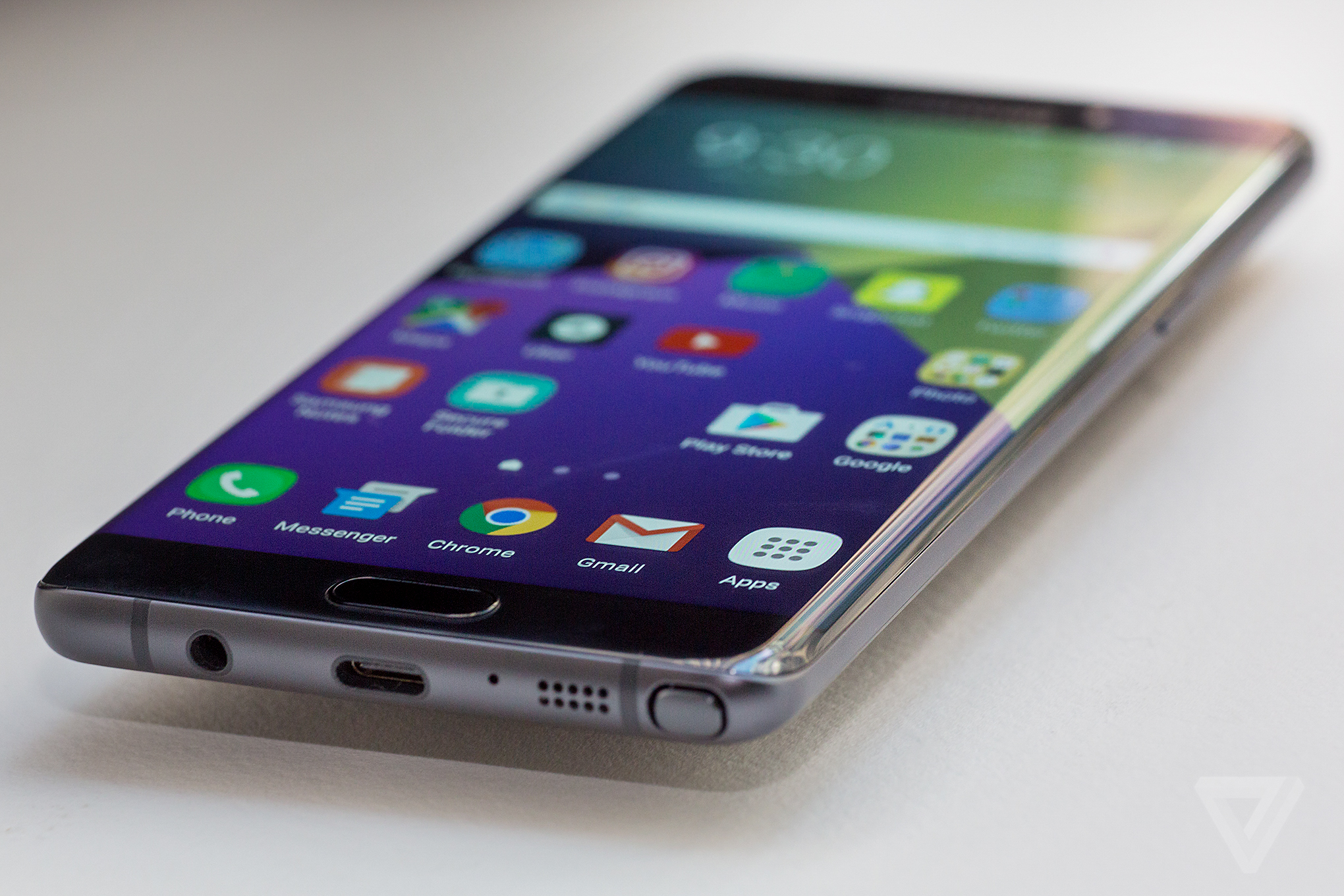
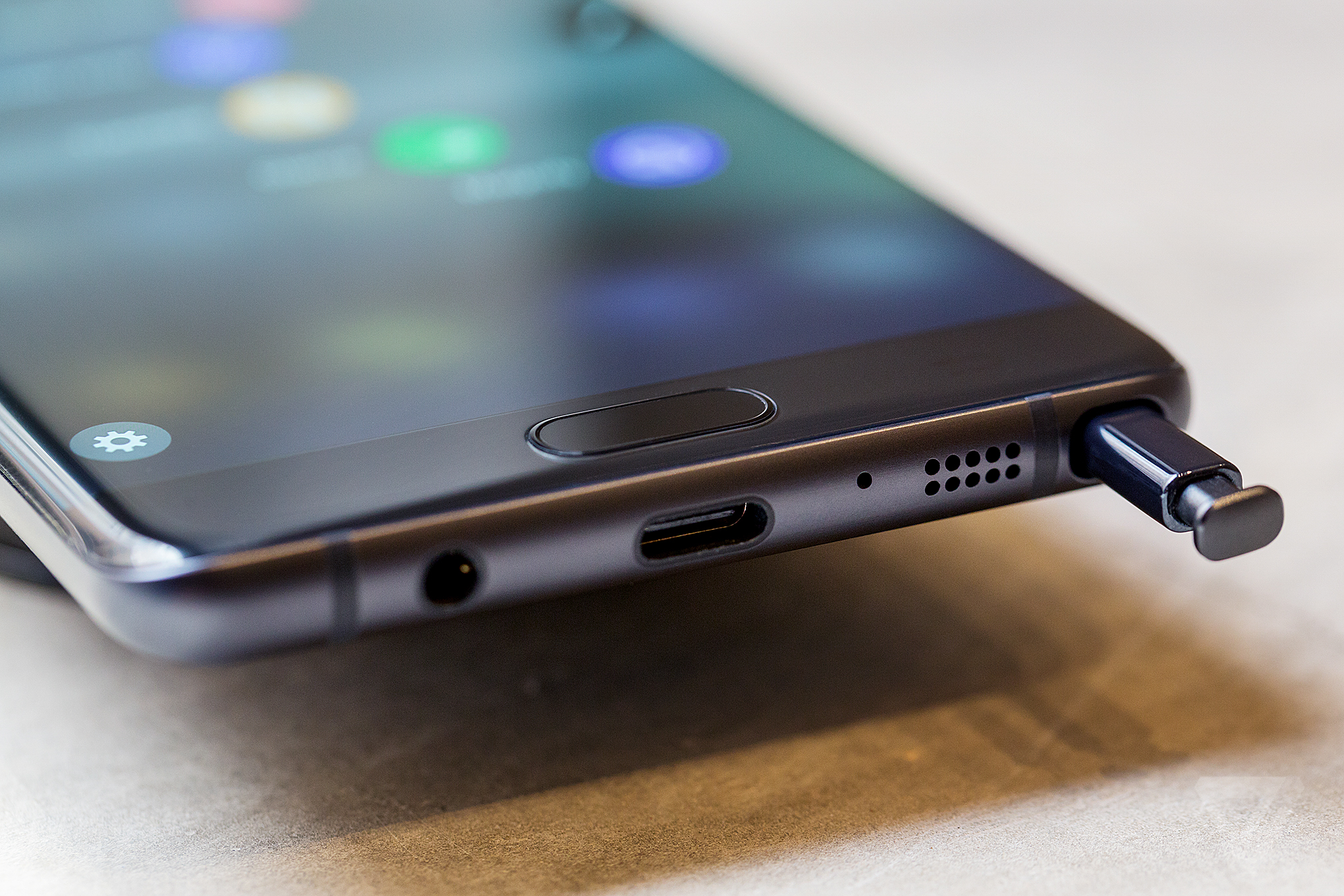
The Note 7�s combination of metal and glass, symmetrical sides, and rounded corners make it the nicest-looking phone I�ve ever laid eyes on. It�s just a beautiful piece of gadgetry. But the design isn�t just for aesthetics: it�s all in service to that big screen and making sure that the compromises that come with a large display are minimized. The Note 7�s design is remarkably functional, giving the Note 7 a normal phone feel, even though it has a massive display.
Part of that is because the Note 7 is actually smaller than any other phone in this class. It�s 4.7mm shorter and 4mm narrower than the iPhone 6S Plus, 5.8mm shorter and 3.9mm narrower than the Nexus 6P, and 2.2mm narrower than last year�s already trim Note 5. The Note 7�s dimensions make it easier to handle, easier to slip into a pocket, and generally nicer to use than any other phone with a big screen.
The curved sides of the display don�t scream "look at me" quite as much as the S7 Edge�s dramatic bends. They have a subtle curve that provides flatter display area and distorts the image on the screen less, yet still manages to make the Note 7 narrower than if it had a fully flat display. The Note 7�s rear glass panel mirrors the front curves exactly, giving the phone its visual symmetry and comfortable feel.
These qualities of efficient design and premium materials are found on the S7 Edge too, but the Note 7 has been refined even further, with softer edges, cleaner lines, and a nicer feel in my hand. Just five months ago, I said that the S7 Edge was the most impressive smartphone hardware I�d ever held, and now Samsung has trumped itself with the Note 7.
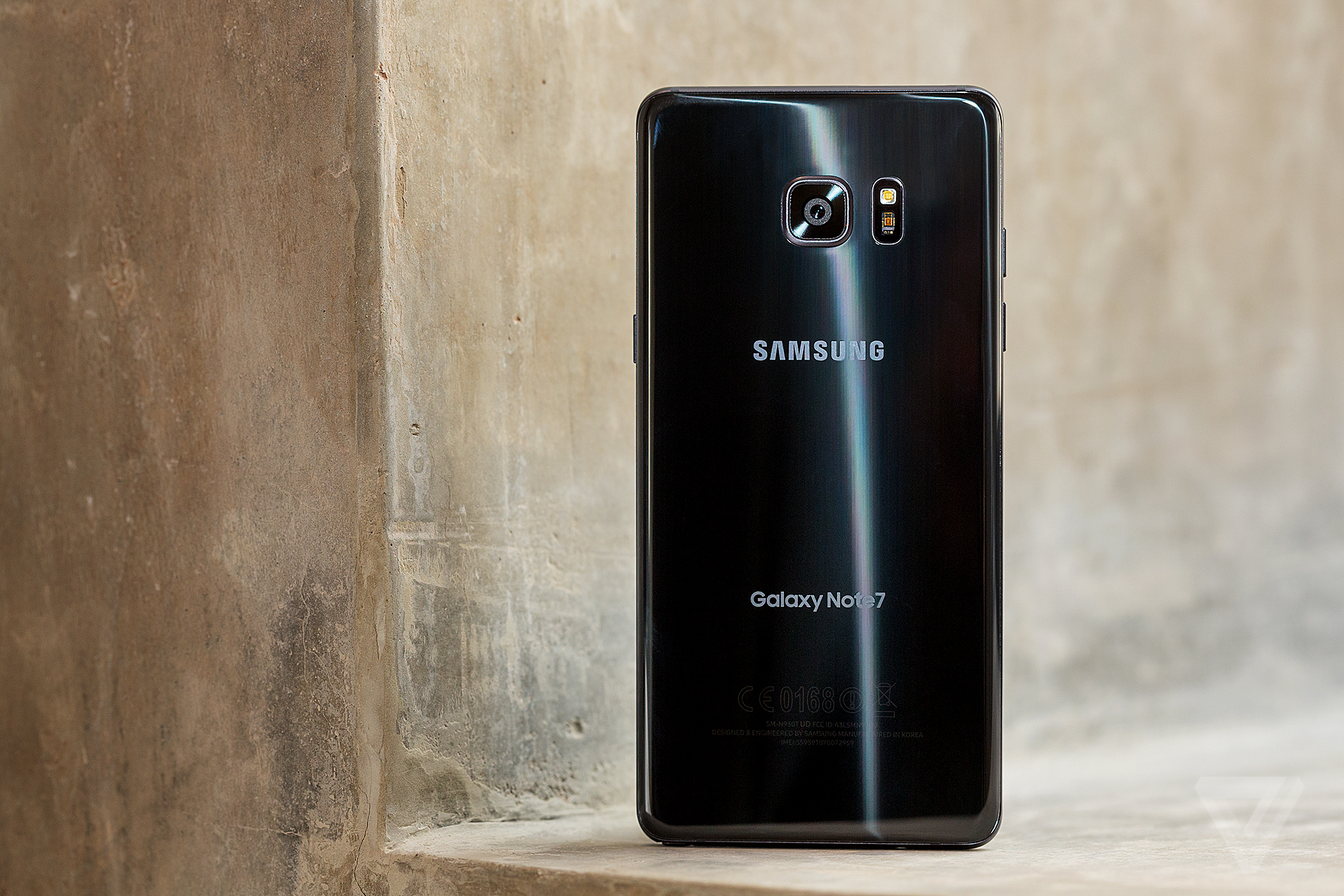
The Note 7 shares a lot of other qualities with the S7 Edge, as well. It has the same type of Super AMOLED quad HD resolution display, albeit larger and slightly brighter; the same Qualcomm Snapdragon 820 processor and 4GB of RAM; the same water resistance and expandable storage; the same excellent cameras; and a similar capacity battery with the same fast wired and wireless charging. The only notable spec differences are that the Note 7 comes with 64GB of internal storage as opposed to the S7�s 32GB and it uses a USB Type-C port instead of the old Micro USB jack.
That means that a lot of the things about the S7 Edge apply equally here. The screen is pixel-dense, color-rich, and gorgeous to look at (and can get even brighter than the already blindingly bright S7�s screen in daylight); the processor and RAM combine for fast, reliable performance; and the water resistance is a feature I think every high-end phone should offer. The Note 7�s 3,500mAh battery is 17 percent larger than the battery in last year�s Note 5, and it�s able to last me through a full day of use. At this point, I�d love for a flagship phone like the Note 7 to last multiple days on a charge, but the fast charging features make it easy to top up when I need to.
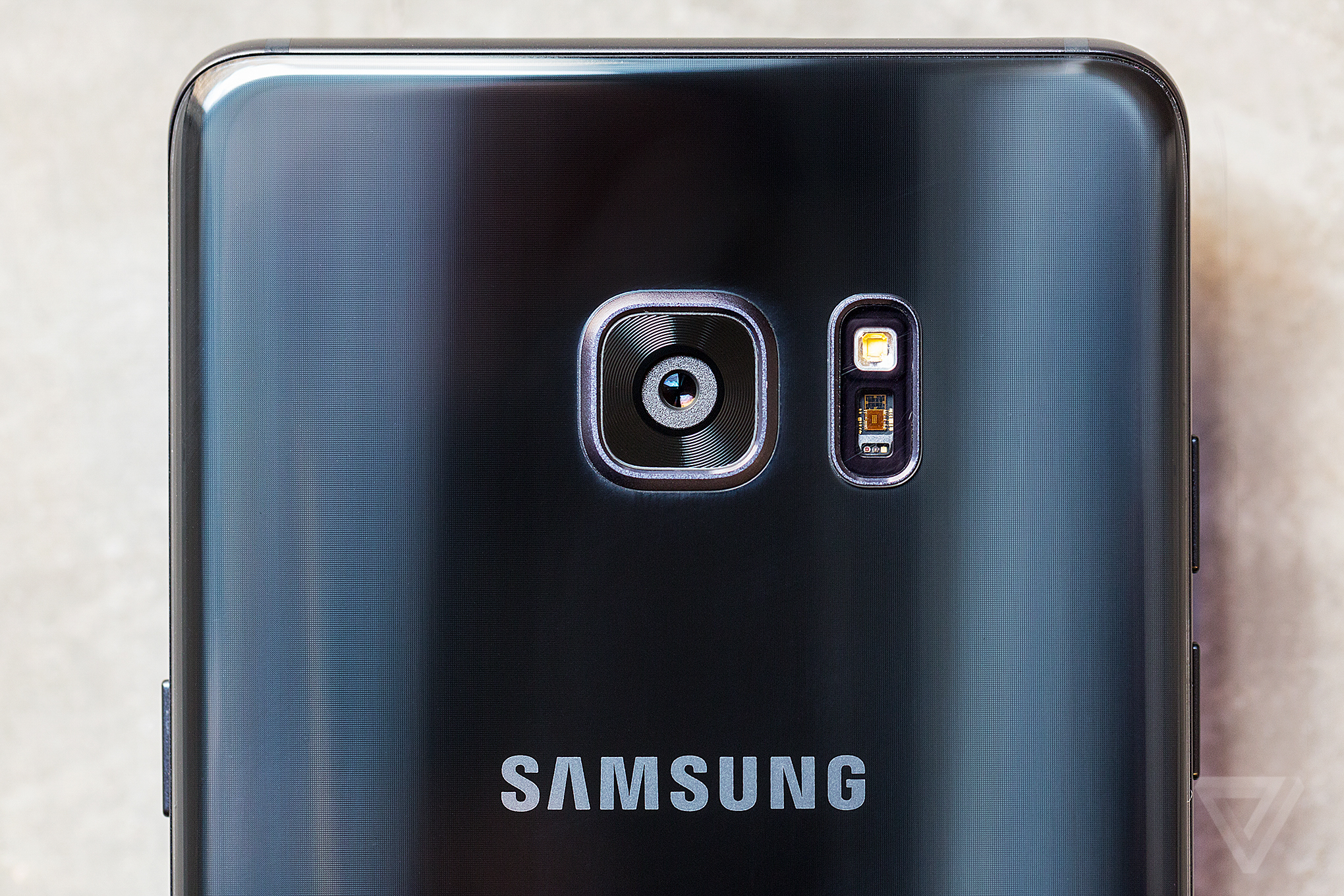
And since the Note 7 has the same 12-megapixel camera as the S7 series, it has arguably the best smartphone camera available right now. (It�s certainly not a downgrade from last year�s 16-megapixel camera. Check out our interview with Samsung�s Kim Gae-youn for more on why.) The optically stabilized, f/1.7 lens is excellent for low light shots and focuses quicker than any other phone�s camera, and the camera app launches rapidly with a double-press of the home button. The app has been cleaned up for the Note 7, with a simpler interface that relies on gestures for switching between front and rear cameras and changing modes.
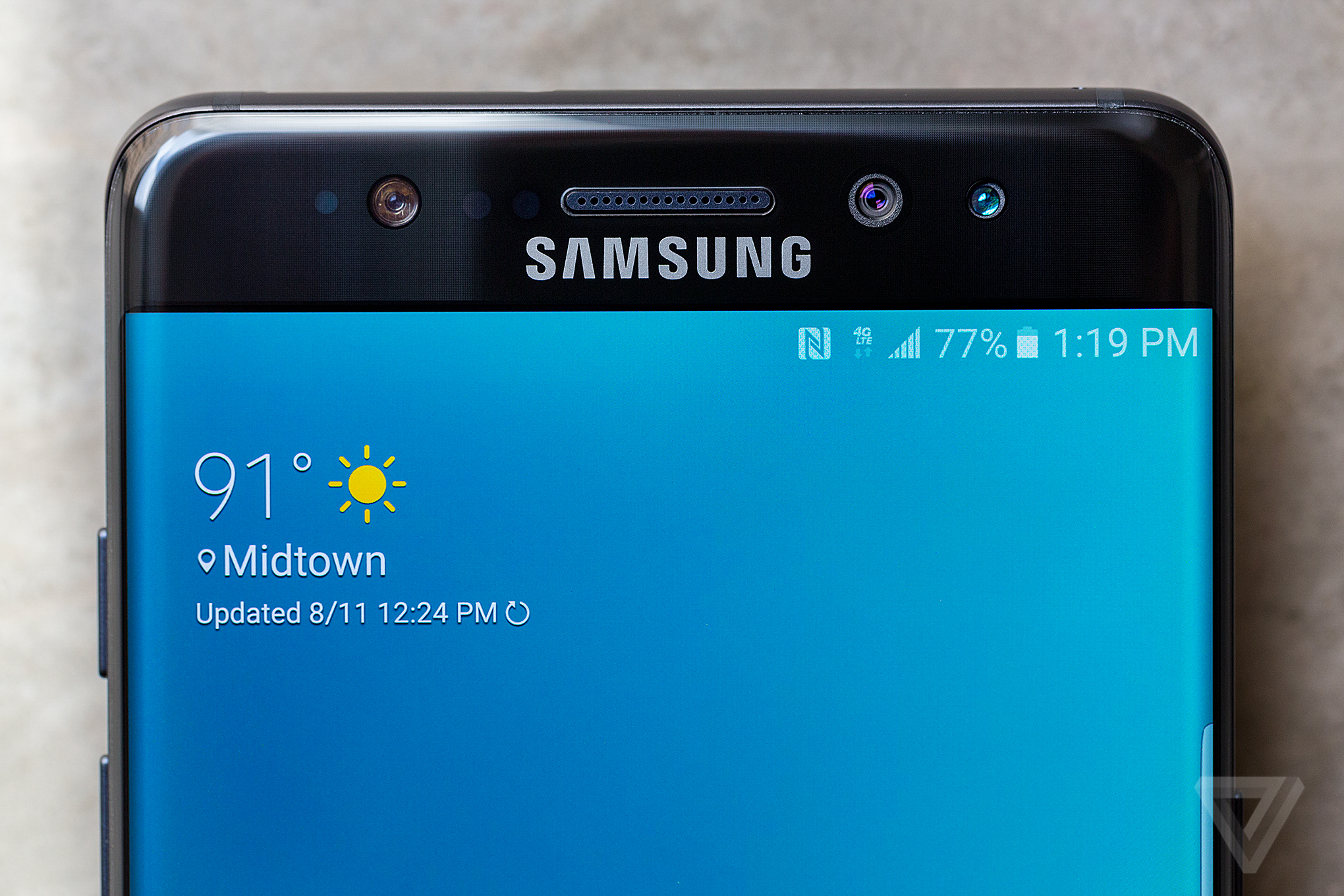
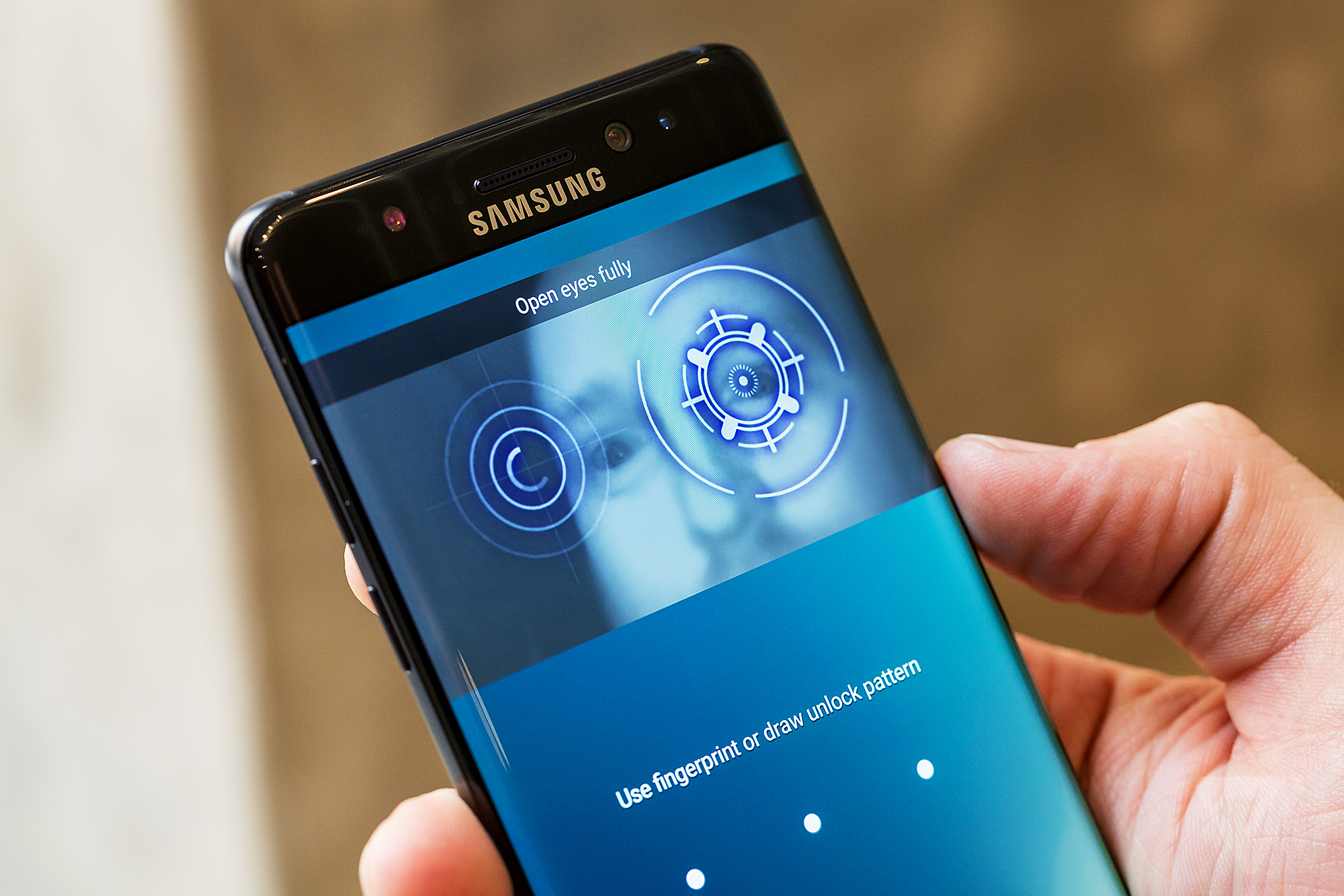
The big new headline feature on the Note 7 is the iris scanner, which uses a special front-facing camera array to scan your eyes and unlock your phone. It provides an alternative to using a password, PIN, pattern, or fingerprint for authentication.
The iris scanner works as advertised, often quickly scanning my eyes and unlocking the phone. It uses infrared technology, so it can work in low light. But it�s clumsier to use than the already very quick fingerprint scanner, as I have to turn on the display, swipe up, and then bring the phone awkwardly close to my face to trigger it. It�s a fun party trick, but I ended up just forgetting about it and using the fingerprint scanner instead.
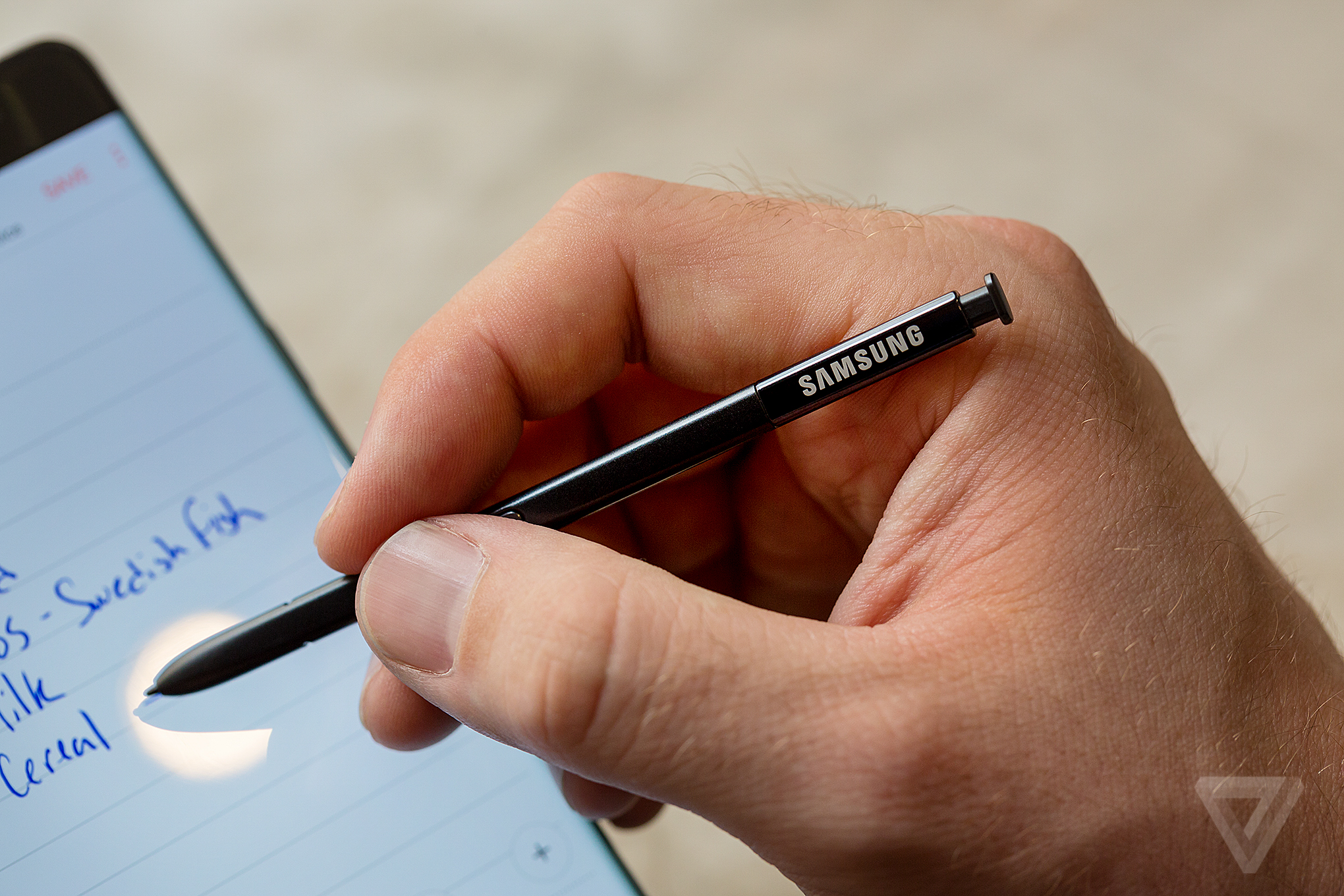
The second most important thing that separates the Note 7 from Samsung�s other devices and every other big phone is the updated S Pen. The S Pen has been a hallmark feature of the Note line since its inception � it�s really what makes a Note a Note, and not just another phone with a big screen. The S Pen can be used to jot down notes, draw pictures, or navigate the phone�s interface.
But by far the coolest new S Pen feature is the ability to create GIFs from any video in just a few taps. In a matter of seconds, I can create a GIF from a YouTube video, add notes or stickers to it, and then share it right from my phone. It�s not something I�d have guessed the S Pen would be able to do, but it�s fun and easy to use. Further, the S Pen has the same level of water resistance as the phone itself, and it can even work when the phone is wet, making it the most over-the-top way to jot down ideas in the shower.
Samsung has tweaked the hardware of the S Pen this go around, too. The pen tip itself is narrower and has twice as many levels of pressure sensitivity for a more natural writing feel. And, unlike with last year�s Note 5, it�s impossible to put it in backwards and damage the phone.
I like that I can now use the S Pen to magnify parts of the screen, multitask between two apps, or instantly translate text using Google�s Translate services. Artists might appreciate the new color blending features available when drawing in Samsung�s app. The four disparate apps that Samsung used to package on the Note have been combined into a single Samsung Notes app that�s easier to use and simpler to navigate. The ability to take notes right on the phone�s lock screen that debuted with last year�s Note 5 has been expanded with the ability to "pin" notes there for quick access. My only complaint with Samsung Notes is that it doesn�t easily sync with other services, such as Evernote or OneNote, instead relying on Samsung�s own proprietary backup and sync. (You can share notes to other apps, but that can only be done one note at a time and is rather tedious.)
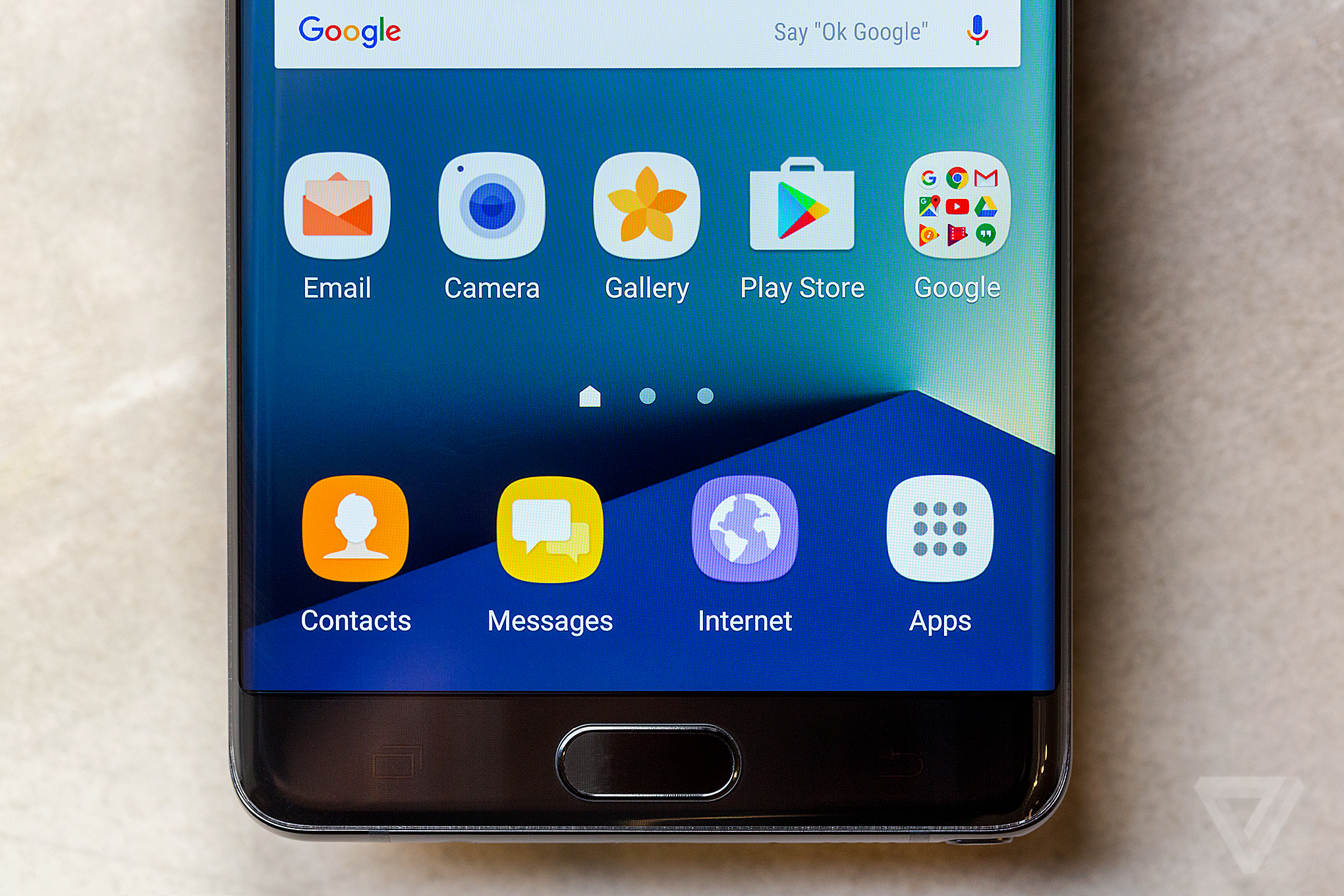
To go along with its refined hardware design, the Note 7 has a refined version of Samsung�s software interface on top of Android 6.0 Marshmallow. (An update to Android 7.0 Nougat has been promised, but Samsung has not yet provided any timing for when that might happen.) It�s both nicer to look at and easier to use than Samsung�s earlier software efforts.
There are a couple new features that have been cribbed from other devices or third-party apps, such as the new nighttime display mode similar to Apple�s Night Shift that can be triggered based on sunrise and sunset. The always-on display feature from the S7 has been improved with more calendar layouts and support for all third-party app notifications, making it much more useful than before.
BLOATWARE REMAINS AN ISSUE
Despite the interface improvements, the Note 7 is still loaded with carrier bloatware and duplicative apps, things that have been dogging Samsung phones for years. The T-Mobile version I�ve been testing has a half-dozen apps preinstalled, including the incredibly useless Lookout app scanner, and you can be sure that the other carrier models are similar. There are also two email apps, two browsers, two photo apps, two voice assistants, and Samsung�s own versions of Android�s calendar and calculator apps instead of the ones that Google already develops. The only real way to avoid carrier bloatware entirely is to wait for the unlocked version of the Note 7 to arrive, but Samsung has yet to say when that will be available, and it will still likely have duplicative apps. These aren�t deal-breaking problems, but they are annoyances that don�t match up with the rest of the Note 7�s stellar experience.
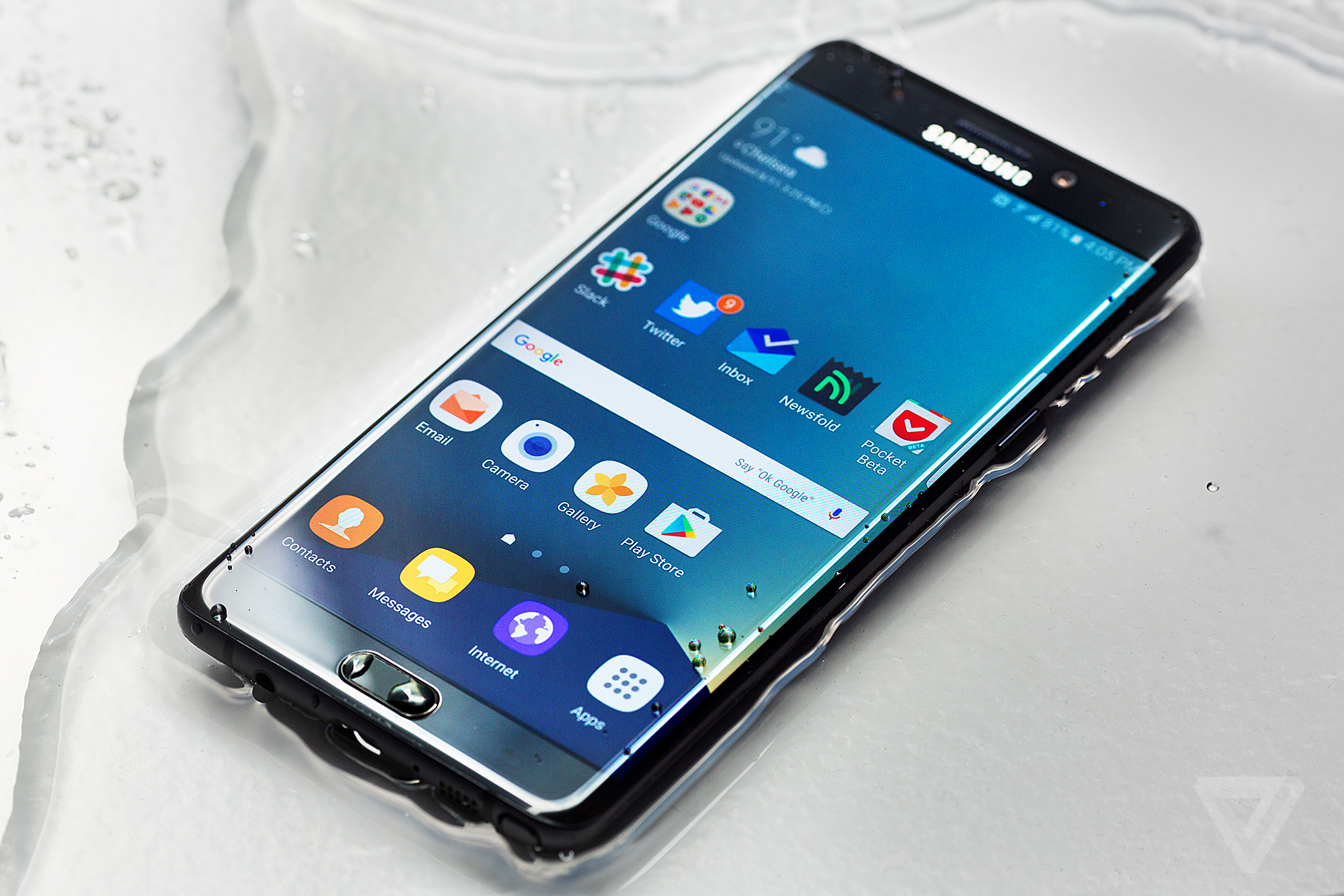
Being the best in a category as competitive as smartphones isn�t something that can be done on the back of one or two features. The Note 7 is not the best because its 5.7-inch screen is bigger than every other phone�s display (though it is arguably better); it�s not because it�s dramatically more powerful or faster than any other phone; it�s not because its battery is substantially longer lasting than others; and it�s not because its camera is markedly better than anything else you could buy, including other phones from Samsung. It�s the best because it has the best combination of all of those qualities, wrapped in a skin that�s beautiful to look at and lovely to hold.
The price is high, though not unheard of, and if you want the best, paying a lot for it shouldn�t come as a surprise. And while the carrier bloatware is still a problem, the Note 7 is easily the best big phone I�ve ever used and quite a few steps ahead of its competitors. If you�re debating between the also excellent S7 Edge and the Note 7, it�s hard to go wrong either way, but the Note provides more features and a better design for a minimal cost over the S7.
THE NOTE 7 IS QUITE A FEW STEPS AHEAD OF ITS COMPETITORS
Apple�s take on the big phone Future of Computing was seen as a revelation for millions of iPhone users, but it didn�t feel like a full commitment to the big phone concept. It�s just a bigger iPhone, with the same hardware design and software experience. The same can be said of the Nexus 6P and many other big Android phones, which aren�t markedly different than smaller options. The Note 7, however, leverages Samsung�s years of expertise building big phones, and its hardware design and software features lift it up above the fray. It�s the least compromised big phone you can buy, and it doesn�t force you give up anything that makes big phones so great.
If you haven�t yet been sold on why a phone with a big screen can change how you think about mobile computing, the Note 7 is the best pitch yet.
download file now
Subscribe to:
Posts (Atom)