Tuesday, September 26, 2017
terlanjur update miui 8 1 4 0 Redmi Note 3 Pro jadi hilang 4G LTE begini cara mengaktifkan kembali
terlanjur update miui 8 1 4 0 Redmi Note 3 Pro jadi hilang 4G LTE begini cara mengaktifkan kembali
Waah... Asiik... dapat pembaruan MIUI 8.1.4.0 neeh... di smarthone XIAOMI Redmi Note 3 Pro, eh tunggu dulu.. Jangan-jangan bakalan ilang lagi 4G/LTE... katanya bakalan ilang... ????
Yaah... Terlanjur terupdate... Tuuu...kan ilang... :(
Hal ini terjadi karena pihak produsen XIAOMI tidak mampu memenuhi syarat Tingkat Kandungan Dalam Negeri (TKDN) minimal 30% dari syarat yang diajukan oleh pemerintah Indonesia, alhasil frekwensi jaringan 4G/LTE pada prangkat XIAOMI yang beredar ter-lock tidak dapat digunakan.
Inilah keluhan sebagian besar para pengguna Redmi note 3 Pro dan varian perangkat XIAOMI yang lain, tapi tenang-tenang masih ada jalan menuju roma...
Berikut Cara Mengaktifkan kembali 4G LTE Permanen update MIUI 8.1.4.0 yang hilang pada Redmi Note 3 Pro

Untuk mengaktifkan atau mengunlock kembali hal tersebut dengan berbagai cara salah satunya dengan tutorial saya berikut ini.
Sebelum itu ada beberapa syarat yang harus Anda perlukan :
- Kompi BerOS Windows 7, 8 (8,1), 10 atau yang terbaru
- Kabel data XIAOMI original atau yang lain berkualitas baik
- Smartphone harus dalam keadaan unlock bootloader (UBL), belum UBL ? Ikuti tutorialnya disini
- Download TWRP ZCX_TWRP_0914
- Download Fix Jamu 4G LTE v8.1.4.0 Redmi note 3 Pro
- Download Recovery.img original
Pertama, copy fix jamu 4G LTE ROM MIUI V8.1.4.0 pada internal atau ekternal (SD Card).
Kedua, matikan daya smartphone, setelah itu masuk ke mode fastboot dengan menggunakan kombinasi tombol Volume Bawah + Power bersamaan, tunggu beberapa saat akan muncul logo MIUI BUNNY.

Ketiga, extrak tool flash recovery ZCX_TWRP_0914.zip, setelah itu buka folder Flash Folder_kenzo dan jalankan Flash.bat dengan menekan �ENTER� proses flashing akan berjalan dengan lancar apabila sudah UBL dengan baik dan smartphone akan otomatis reboot dalam mode recovery TWRP.

Keempat, jalankan TWRP recovery pada menu yang ditampilkan gunakan opsi "install" dan temukan lokasi penyimpanan fix jamu 4G LTE ROM yang Anda download tadi.
Sudah ditemukan...?
Dilanjutkan dengan menggeser �swipte to comfirm Flash� proses akan berjalan beberapa saat, apabila selesai reboot system.
Tunggu beberapa saat smartphone akan berjalan normal kembali seperti biasanya dan cek di pengaturan SIM pada tipe jaringan prioritas, apabila menampilkan tipe jaringan �Prioritas LTE� selamat Anda sudah sukses mengaktifkan kembali pengaturan 4G LTE yang telah anda rindukan kehangatannya lagi hehehe
Kalau bingung karena TWRP berbahasa China pertama kali dijalankan, ikuti langkah berikut ini :

lihat pada tampilan tab menu, tab ke dua dari bawah sebelah kanan tekan dilanjutkan dengan menekan gambar seperti bola dunia pada sudut kanan atas kemudian akan muncul tampilan menu bahasa dan ambil pilihan bahasa Inggris terakhir tekan pada tab sebelah kanan bawah.
Ta...laaaa.... Bahasa Inggris pun muncul... kalau kurang mengerti dengan bahasa Inggris gunakan google translate
Kelima, langkah ini sebenarnya bersifat optional bagi yang tidak menyukai recovery TWRP dan ingin agar Redmi Note 3 Pro masih terlihat ORYGINAL padahal sudah di oprak sendiri :D
Jalankan kembali tool flash recovery ZCX_TWRP_0914 tadi, copy - paste recovery.img (ORIGINAL) pada folder Flash Folder_kenzo, kembali menjankan flasth.bat dan tekan �ENTER� proses flash recovery akan berlansung bebera saat dan taraaalla... smartphone Anda kembali seperti baru lagi tanpa TWRP.
Kalau anda punya saran atau ide tambahan materi yang ingin anda pelajari terkait artikel ini, jangan sungkan silahkan hubungi saya.
Bantu saya mengembangkan website ini menjadi lebih baik lagi, semakin banyak di share semakin banyak yang terbantu.
Terima kasih atas kunjungannya.
download file now

Sunday, September 24, 2017
Download Xiaomi Redmi Note Official Stock Firmware Rom
Download Xiaomi Redmi Note Official Stock Firmware Rom
Download Xiaomi Redmi Note Official-Stock Firmware-Rom
| Download Now! |
download file now
Saturday, September 23, 2017
Download Xiaomi Redmi Note 2 Official Stock Firmware Rom
Download Xiaomi Redmi Note 2 Official Stock Firmware Rom
Download Xiaomi Redmi Note 2 Official-Stock Firmware-Rom
| Download Now! |
download file now
Friday, September 22, 2017
Download of MIUI 6 for Redmi Note 3G Beta
Download of MIUI 6 for Redmi Note 3G Beta
MIUI 6 for Redmi Note 3G

As its closed beta, this ROM still has many bugs. Please think twice before flashing it!!
Download:
New beta has been released.
http://miuii.blogspot.in/2015/03/redmi-note-3g-beta-update.html
Flashing guide: http://en.miui.com/thread-17988-1-1.html
download file now
Thursday, September 21, 2017
Download ROM MIUI 8 5 6 0 Fix 4G Global Stable untuk Redmi Note 3 Pro Kenzo
Download ROM MIUI 8 5 6 0 Fix 4G Global Stable untuk Redmi Note 3 Pro Kenzo

Pengguna Smart Phone Redmi Note 3 Pro [kenzo] Snapdragon terpilih telah mendapatkan pembaruan update OTA pada MIUI 8.5.6.0 ROM Global Stabel. Banyak sekali perbaikan pada versi ini, jika anda tidak ingin menunggu update pembaruan via OTA pada versi yang digunakan saat ini, anda dapat melakukan update secara manual.
Agar mempermudah download ROM MIUI 8.5.6.0 Global Stable untuk Redmi Note 3 Pro [Kenzo] dibawah ini sudah saya sertakan link download pada versi ini.
Changed Log :
System
- Fix Home screen stopped working after opening Second space in Lite mode (08-24)
- Fix Notifications about Second space messages didnt show up when DND mode was on (08-24)
- Fix-Week signal in some carrier networks (07-01)
- Fix with receiving calls after creating Second space (08- 24)
- Optimization Importing contacts from SIM cards (06-22)
- Fix-Couldnt set contact photos in Gallery in some cases (06-22)
- Fix Errors when adding contacts to a group (06-22)
- Fix Importing contacts from other devices (06-22)
- Fix-SIM contacts disappeared and reappeared after a reboot (0 6 22)
- optimization OTP messages arent shown on the Lock screen (06- 22)
- Fix - Notification shade issues (07 - 01)
- Delete Mi Live is no longer pre-installed (08-24)
- Fix-Adjusted percentage calculations (08-24)
- Optimization Updates default themes (08-24)
- Fix-Quick ball was visible on screen recordings (08-24)
- Fix- New calendar events couldnt be synced (06-22)
- Fix Issues with syncing messages and call history (06-22)
- New-App lock for Dual apps (06-22)
- New Selecting images in the Recent album (06-22)
- New Mi Community goes online in Singapore, Vietnam, Russia, and Indonesia (07-01)
- Optimization Front camera Beautify (06-22)
- Fix - Issues with Mi Mover (06-22)
- Fix-Switching spaces in Lite mode (06-22)
- Fix-Issues with Mi Drop in Second space (06-22)
- Fix-Issues with scientific calculator (06-22)
- Fix-Issues with manual sync in Recorder (06-22)
- Fix UI adjustments for charging (06-22)
- Fix-Contacts couldnt be saved in some cases (06-22)
- Fix-Search issues in Explorer for RTL languages (06-22)
- Fix-Mi Drops issues caused by Android incompatibility (O6-22)
- Fix-Photos couldnt be synced in some cases (06-22)
- Fix-Font issues in video editor (06-22)
- Fix UI text wasnt fully displayed in some cases (06-22)
- Fix - Scaling issues with profile pics in People (06-22)
- Fix - Issues with SMS notifications in the DND mode in Second space (06 - 22)
Untuk melakukan update secara manual, dapat mengklik aplikasi pembaruan Xiaomi smartphone atau dengan mengakses Settings -> About Phone -> System updates [klik tiga titik pada sudut kanan atas] > temukan file update.zip pembaruan yang telah anda download tadi.
Namun bagi yang ingin Fix 4G pada versi MIUI 8.5.6.0 Redmi Note 3 Pro [Kenzo] ini dapat menggunakan salah satu Fix 4G di bawah ini.
Sedangkan pada versi Non UBL yang sudah mengikut tutorial Fix 4G Non UBL pada tutorial MIUI 8.2.2.0, 8.2.3.0 maupun 8.2.4.0 dapat melakukan update pembaruan ROM melalui TWRP dan jangan lupa Install kembali Fix 4G MIUI suport MIUI 7 dan 8 setelah selesai update ROM, kemudian baru lakukan reboot system tanpa harus wipe cache terlebih dahulu.
Segala resiko selama proses flashing/install ditanggung pengguna !!
Terima kasih atas kunjungannya.
download file now
Tuesday, September 19, 2017
Flashing a Global ROM onto the Xiaomi Redmi Note 3 Pro Snapdragon 650
Flashing a Global ROM onto the Xiaomi Redmi Note 3 Pro Snapdragon 650
During yesterdays trip to Stokenchurch to meet up with some fellow phone fanatics, I purchased a Xiaomi Redmi Note 3 Pro second hand off one of the guys at the meet. No doubt I will go into more details in a future post about the differences between this phone and the Mediatek (non-Pro) version, but in this post I will provided an overview of how I transitioned from the stock Chinese ROM to the Global ROM.
A similar procedure is likely needed for other Snapdragon SoC Xiaomi devices, although I have only tried the Redmi Note 3 Pro myself.
Preparation
We will need to download the following ROM images and tools before proceeding:
Chinese Developer ROM
MIUI Flashing tool
Redmi Note 3 Latest Qualcomm Global Stable (Fastboot ROM)
Unlocking tool
15 second adb installer (if adb and fastboot are not already installed on your PC)
Stage 1 - Changing from the Stable ROM to a Developer ROM
In order to unlock the bootloader on the Xiaomi Redmi Note 3 Pro you need to be on the Developer firmware. This is unlike my experience with the Mediatek version, where an unlock could be performed from either ROM channel.
If you try to unlock the ROM from Stable, the unlock process will fail at 50% with the error message "Current account is different from the account info on the device"
Ensure you are running the latest version of the Stable Chinese ROM (check in the Updater app) and then flash the Developer ROM via the built in Updater app.
To do this, copy the zip file onto the device, run the Updater app, select the button at the top right and select "Chose Update Package". Select the zip file and off you go - you should have changed from the Stable channel to the Developer channel.
Stage 2 - Unlocking the bootloader
In a previous post I have gone into details of how to request a bootloader unlock from Xiaomi. If you have requested an unlock previously, you should already have the permissions on your Mi account to unlock the bootloader directly, but if not then it is worth checking this post.
Ensure that you are logged onto your Mi account in the phone, reboot into Fastboot mode (from device off, hold down power and volume down), run up the Unlocking tool MiFlashUnlock, sign in and go through the unlock procedure.
Stage 3 - Flashing the Global ROM
Once the bootloader is unlocked you can flash the Global ROM via the MiPhone flash tool. Once again, unlike the SP Flash tool used for Mediatek SoCs, with the Snapdragon SoC the bootloader must be unlocked before we can flash using this tool.
We need to unzip the tgz completely to get the extracted files and then use the MiFlash tool to flash the device. The tool is a little picky on the location of the files, so I put them in a folder off the root of the C drive.
It should be noted that fastboot and adb must be preinstalled for the tool to work - if required, download the 15 second adb installer above.
During the installation of the MiFlash tool, all sorts of weird instructions are given, mentioning a "Settings" application. I ignored all this, as there was no settings application installed & all went well without any further configuration.
To flash the Global ROM, the phone must be in Fastboot mode (Power and Vol down) and attached via USB to the PC. We must locate the unzipped global images folder using the Browse button (where the batch files are located) and then select refresh, which should pick up the device. Select "Flash all" as the flash option and then hit the Flash button.
Hopefully once everything has completed, the phone will boot up with the Global image, with all the Google services and a distinct lack of Chinese apps!
download file now
Monday, September 18, 2017
Download Xiaomi Mi Note Pro Official Stock Firmware Rom
Download Xiaomi Mi Note Pro Official Stock Firmware Rom
Download Xiaomi Mi Note Pro Official-Stock Firmware-Rom
| Download Now! |
download file now
Saturday, September 16, 2017
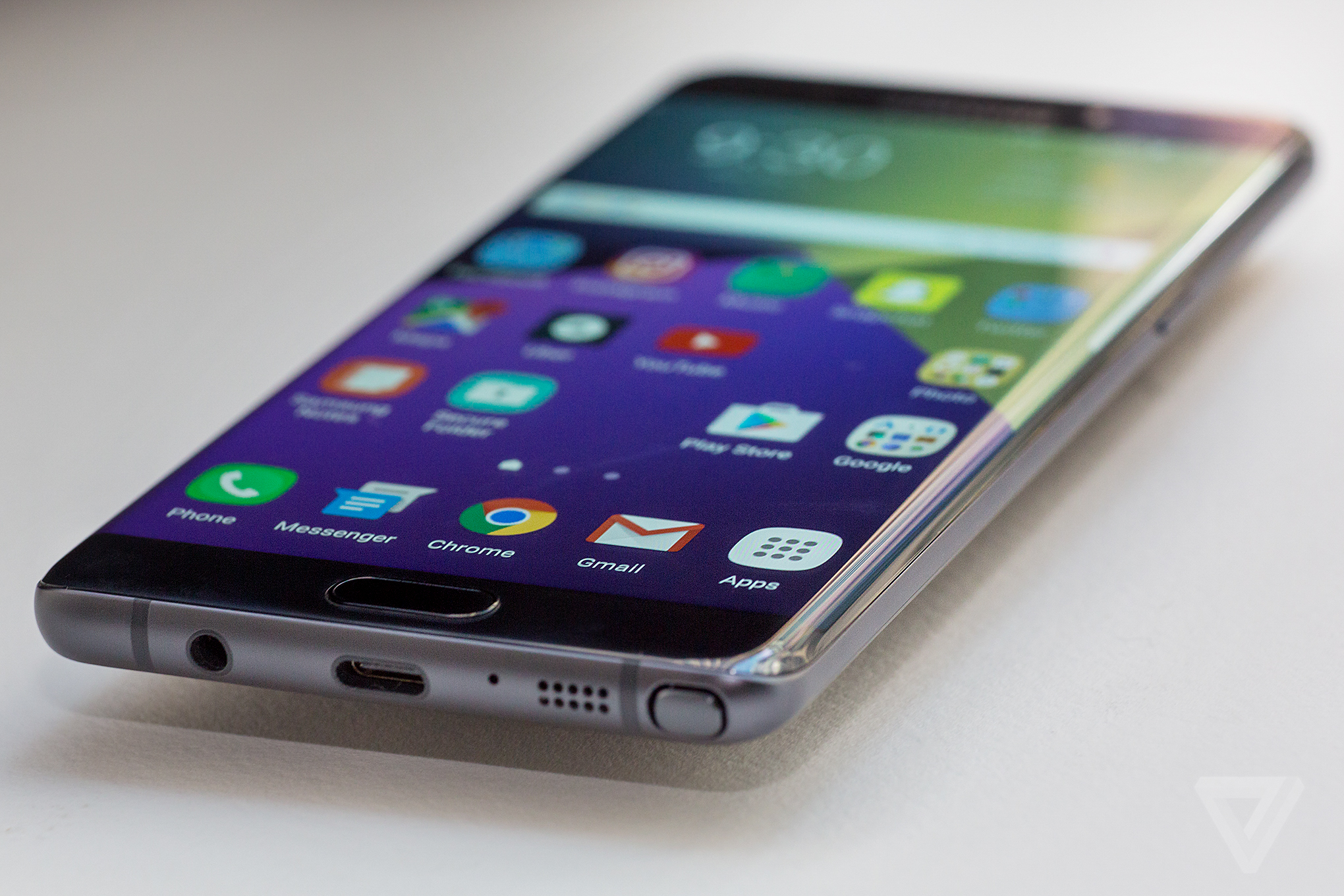
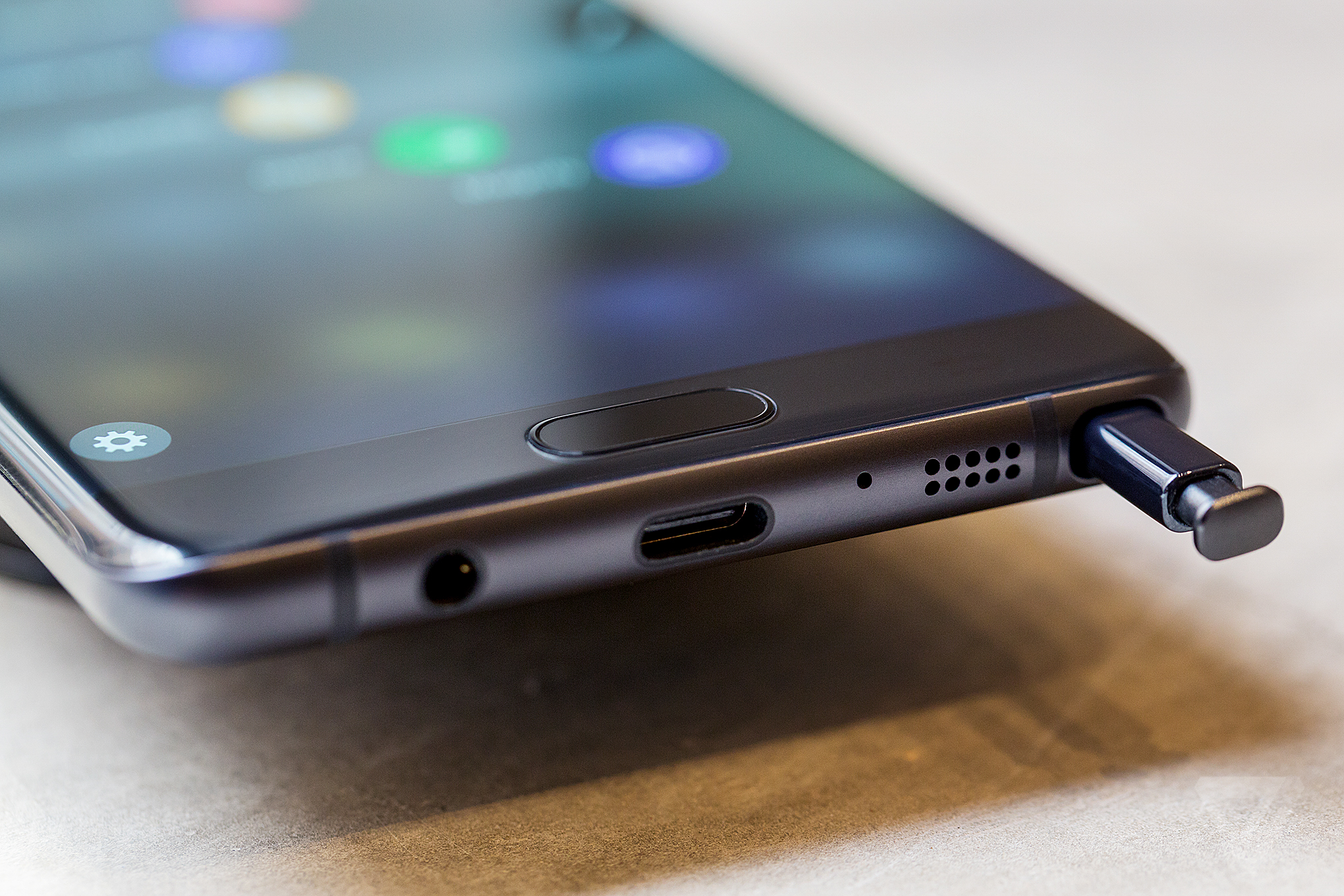
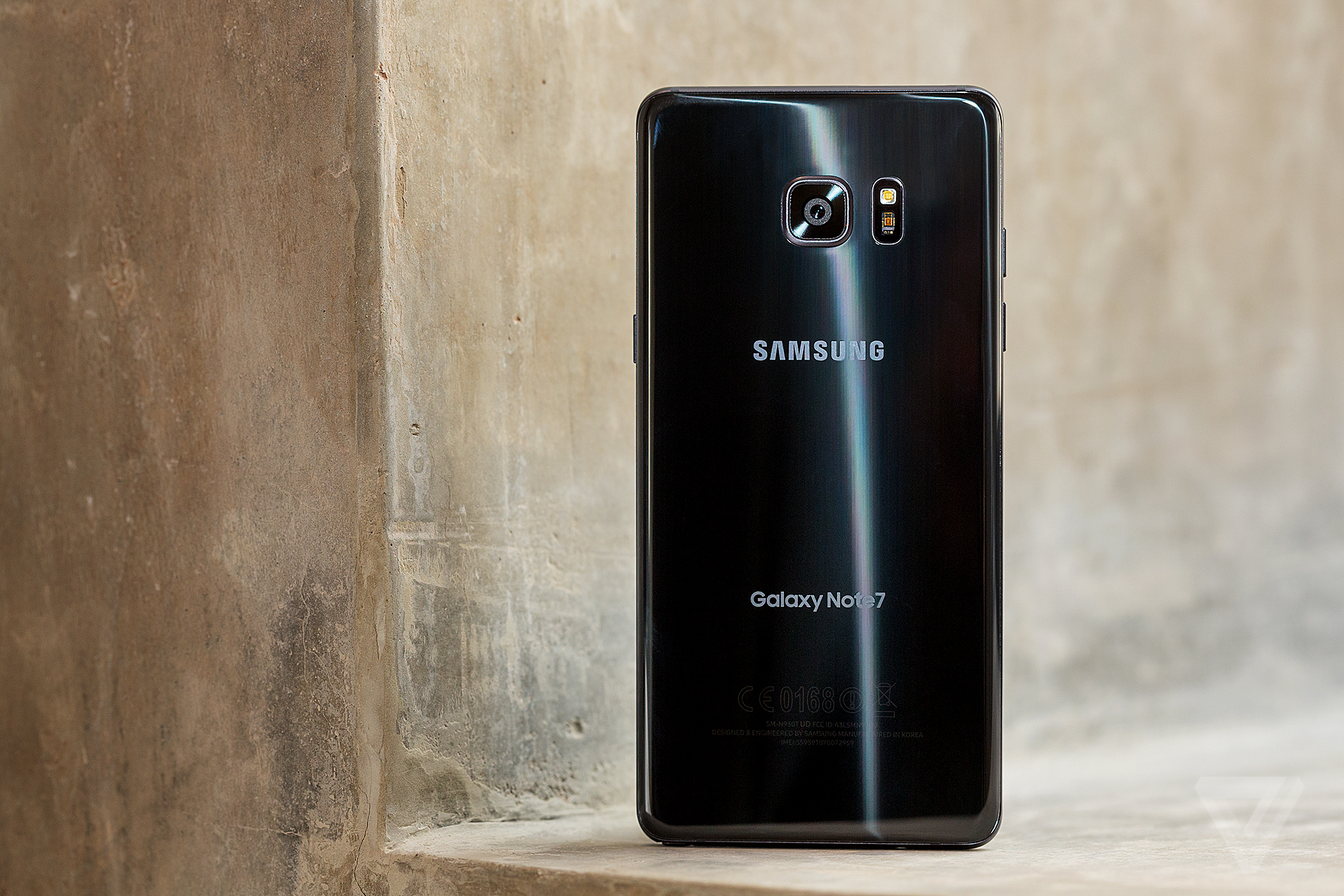
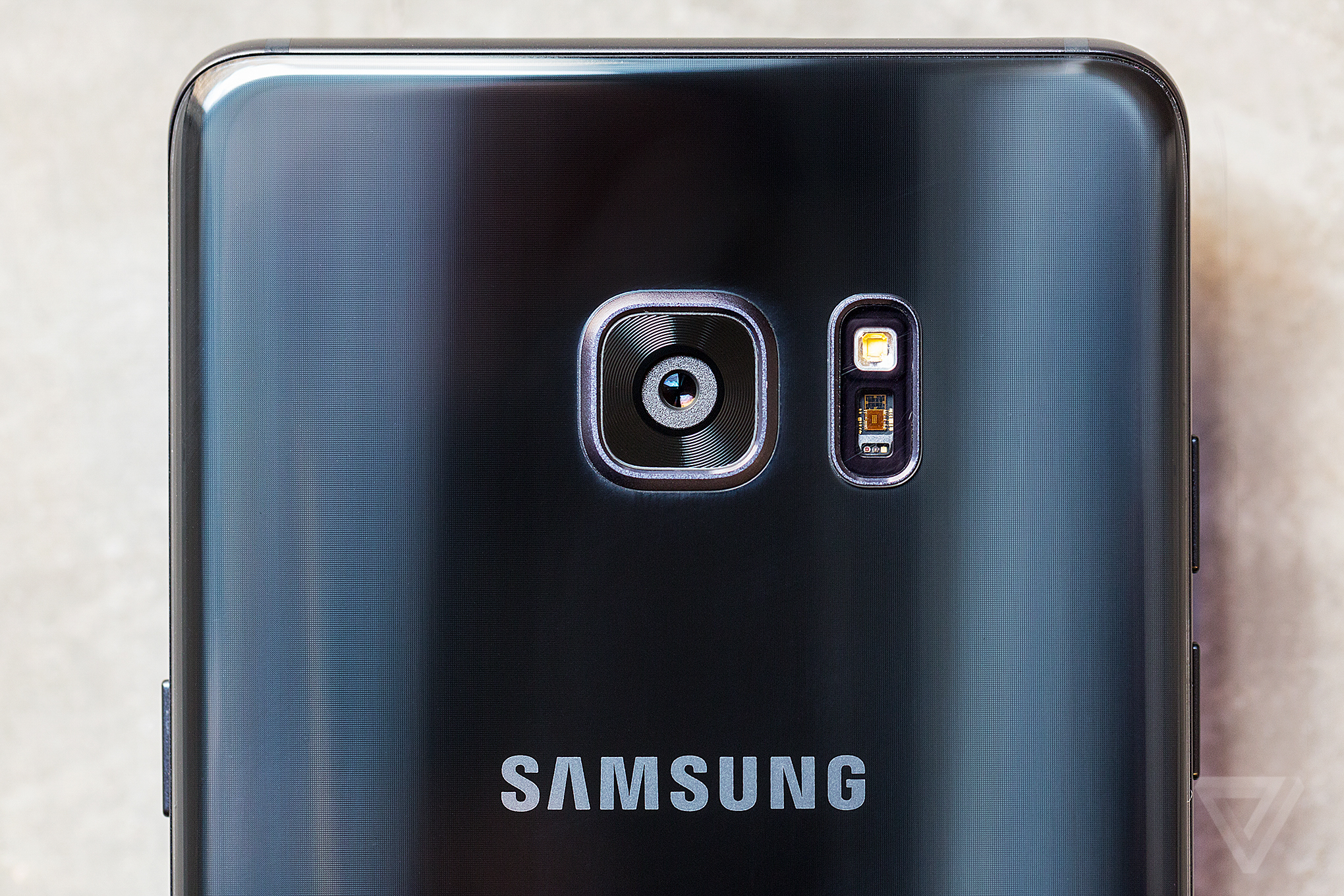
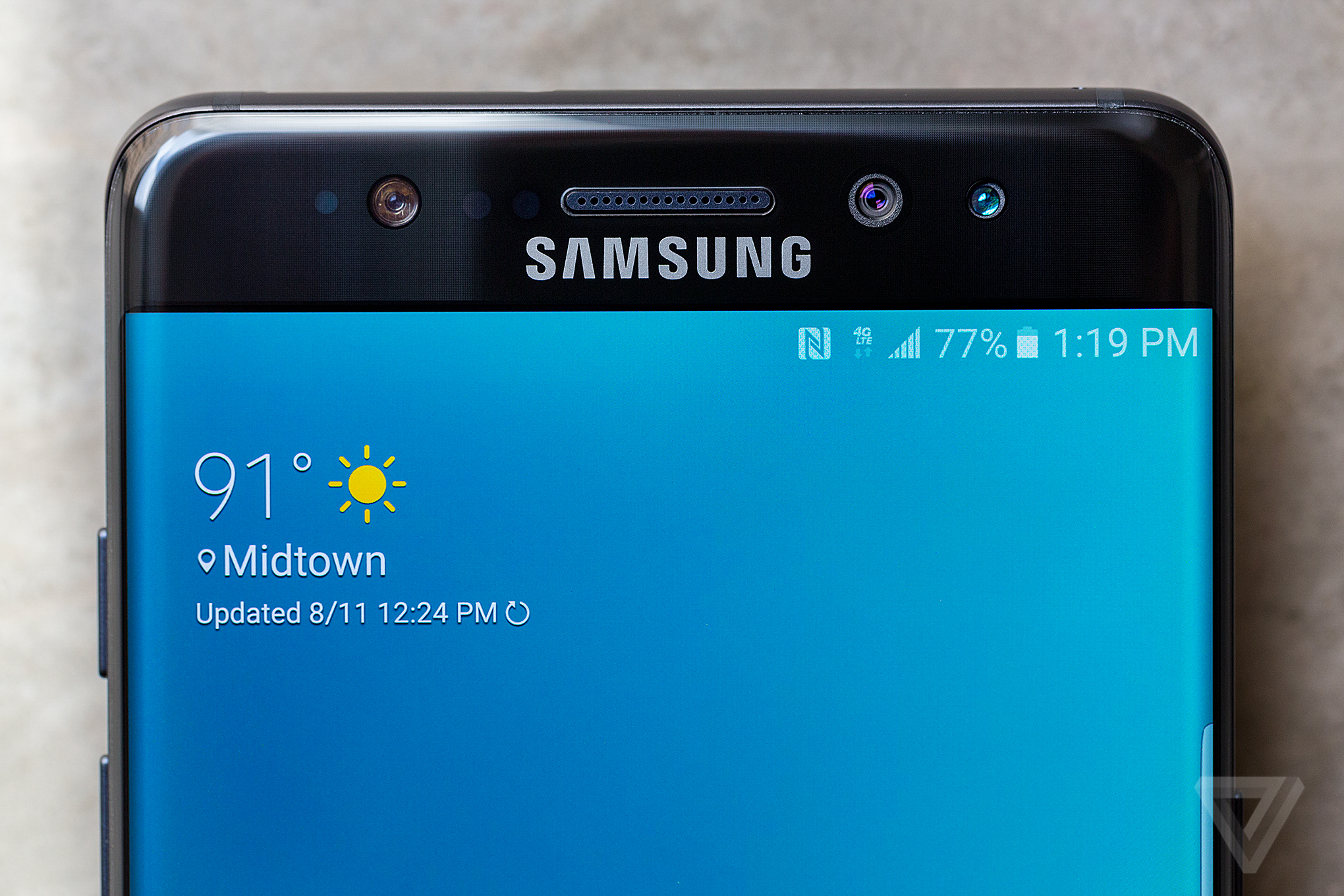
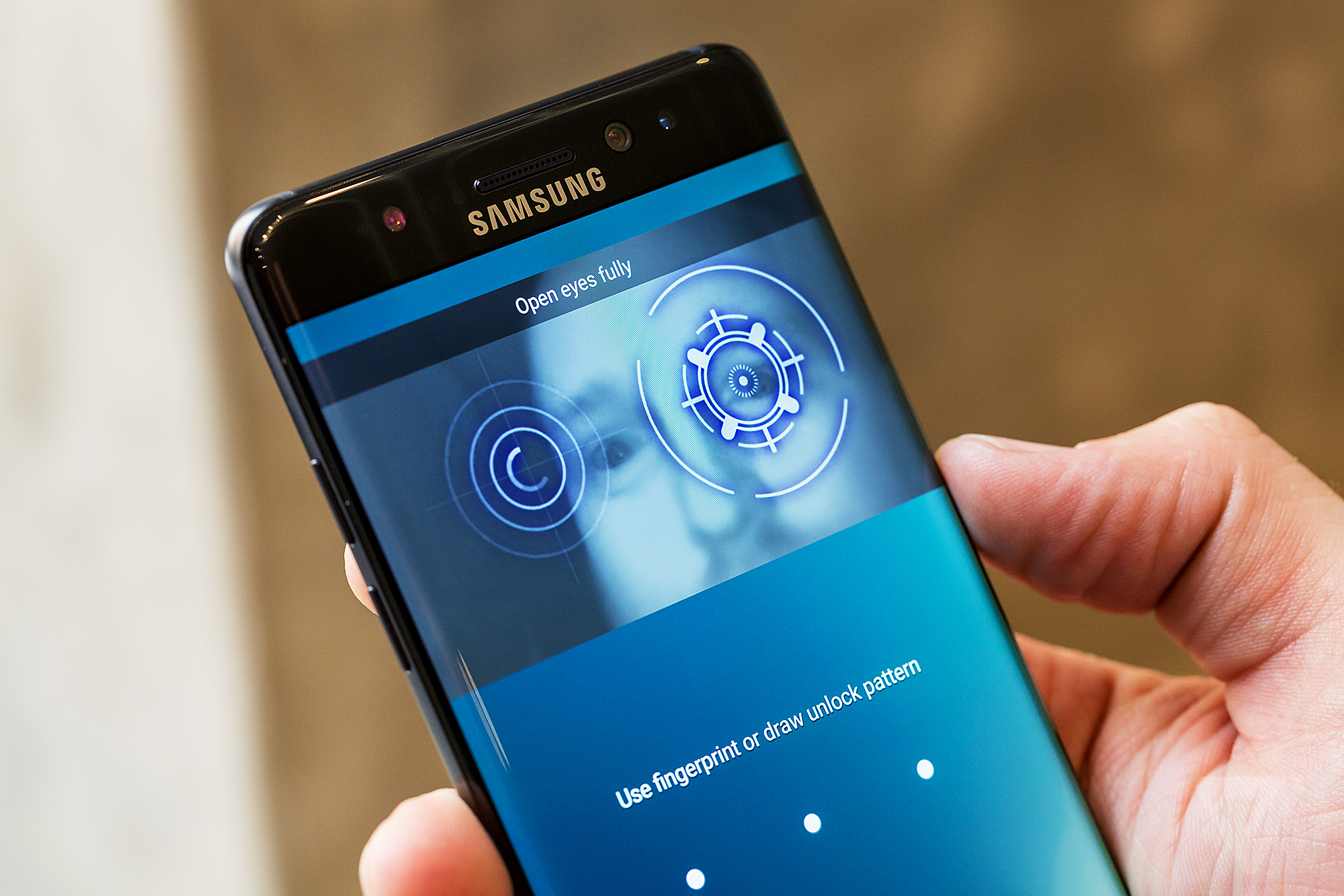
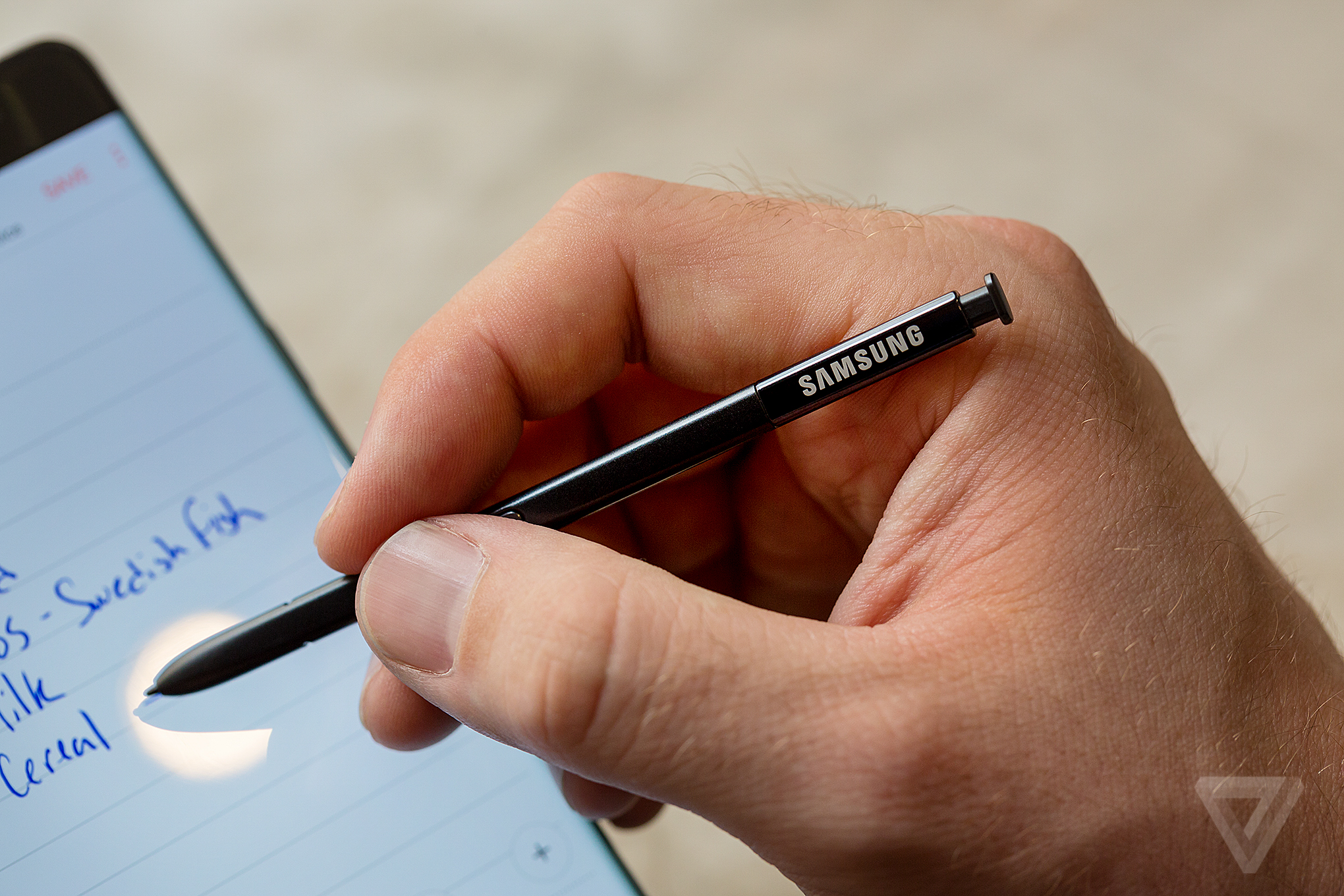
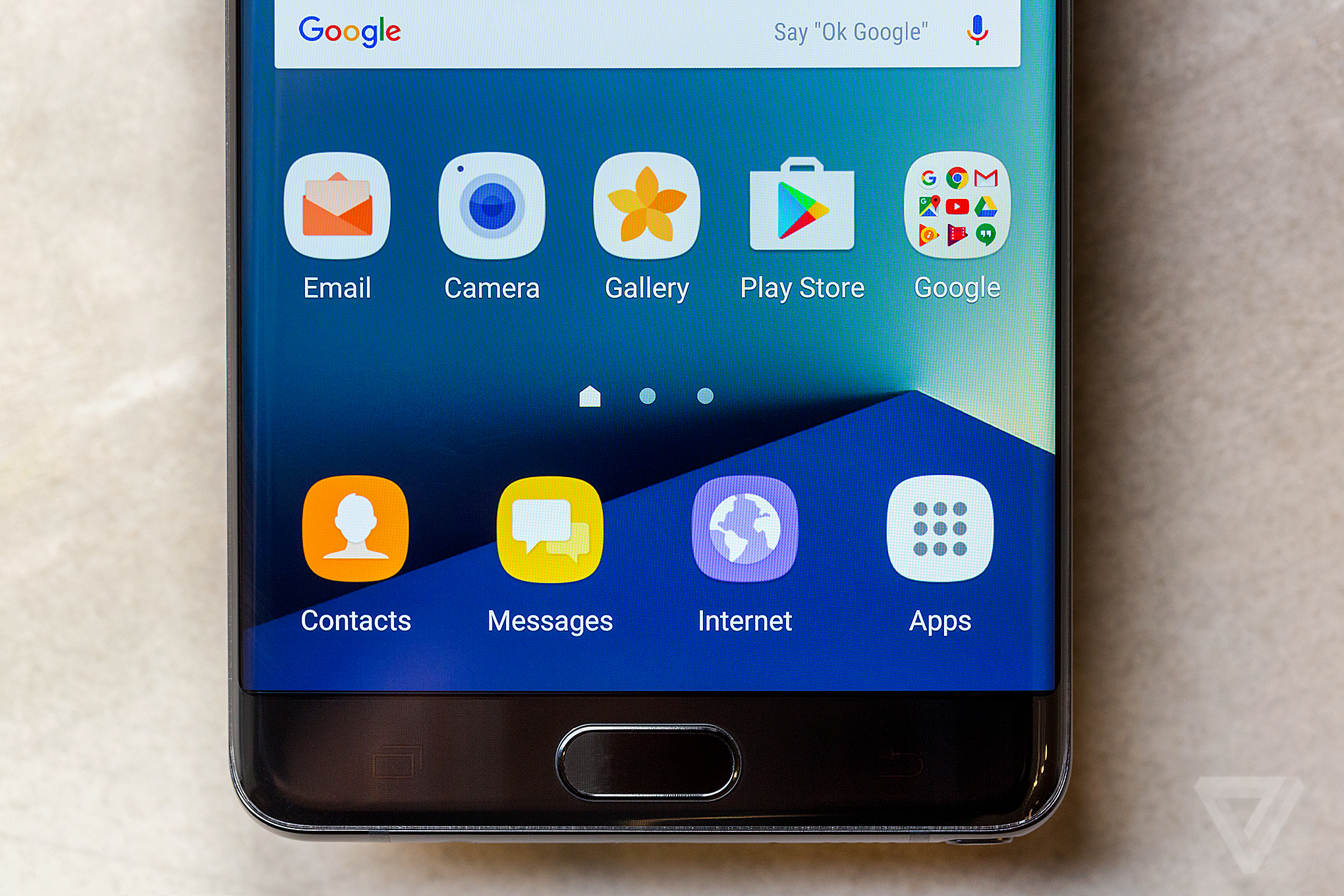
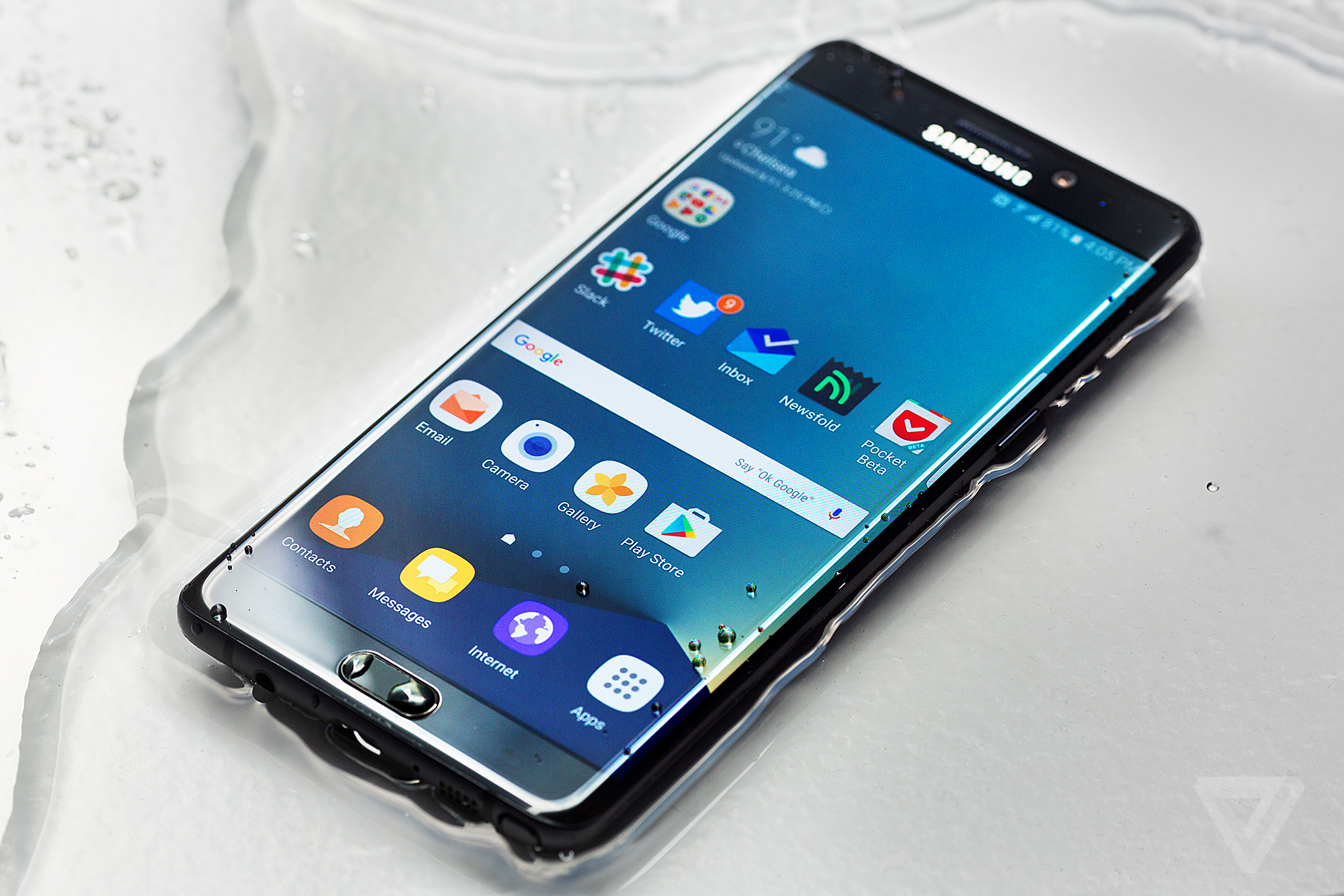
The Samsung Galaxy Note 7 Review
The Samsung Galaxy Note 7 Review
/cdn0.vox-cdn.com/uploads/chorus_image/image/50400891/jbareham_160811_1180_A_0118.0.0.jpg)
On September 2nd, 2016, Samsung issued a recall on the Galaxy Note 7 because of a safety concern with the battery. The company halted sales and recalled all 2.5 million devices it manufactured. It then issued replacement devices that were deemed to be safe for use by both Samsung and the US Consumer Product Safety Commission. Unfortunately, it turns out that those devices were no safer than the first run and presented many of the same risks. As a result, Samsung has been forced to recall those and is stopping production on the Note 7.
BLOATWARE REMAINS AN ISSUE
download file now
Friday, September 15, 2017
Download Xiaomi Redmi Note Prime Official Stock Firmware Rom
Download Xiaomi Redmi Note Prime Official Stock Firmware Rom
Download Xiaomi Redmi Note Prime Official-Stock Firmware-Rom
| Download Now! |
download file now
Download of MIUI 6 for Redmi Note 3G
Download of MIUI 6 for Redmi Note 3G
Download:
http://bigota.d.miui.com/5.1.14/miui_HMNoteW_5.1.14_2a36b18a9b_4.4.zip
Flashing guide: http://en.miui.com/thread-17988-1-1.html
Please report bugs here and add[Redmi Note 3G] in thread title. Thanks.
As its closed beta, this ROM still has many bugs. Please think twice before flashing it!!
Thanks,
download file now
Thursday, September 14, 2017
Unofficial Download LineageOS Xiaomi Redmi Note 4 Nikel Marshmallow 6 0
Unofficial Download LineageOS Xiaomi Redmi Note 4 Nikel Marshmallow 6 0
DISCLAIMER:
Installing a custom ROM on a Xiaomi Redmi Note 4 (Nikel) requires the bootloader to be unlocked on the Xiaomi Redmi Note 4 (Nikel) phone, which may VOID your warranty and may delete all your data. Before proceeding further you may consider backup all data on the phone. You are the only person doing changes to your phone and I cannot be held responsible for the mistakes done by you.
Status of Unofficial Lineage os for Xiaomi Redmi Note 4 (Nikel) Marshmallow 6.0 Custom ROM:
� Not Known
KNOWN ISSUES:
� Not Known

Before Starting
TWRP recovery let�s you do a number of cool stuff but the whole point of having a custom recovery is to be able to flash unsigned .zip files. These .zip files could be anything from a custom kernel, boot, recovery, MODs or full custom ROMs.
Let�s see how to flash a lineage os rom on Xiaomi Redmi Note 4 (Nikel) using TWRP recovery.
How to Install a Unofficial Lineageos on Xiaomi Redmi Note 4 (Nikel)
- Download and transfer the Unofficial Lineage os ROM and Gapps for linage os you wish to flash to your device�s storage.
- Boot your device into TWRP recovery.
- Select �Wipe� from TWRP main menu and do a �Swipe to Factory Reset� on the bottom of screen.
? Note: This will factory reset your device. If your custom ROM doesn�t require a factory reset, then simply skip this step.
- Go back to TWRP main menu, tap on �Install� and select the Unofficial Lineage os ROM .zip file and gapps for lineage os that you transferred to your device in Step 1.
- After selecting the .zip file, do �Swipe to Confirm Flash� on the bottom of screen to begin the custom ROM installation process. This may take some time.

- Once your ROM is successfully flashed, you�ll see �Wipe cache/dalvik� option, select it and then do �Swipe to wipe� on bottom of screen.
- Once cache & dalvik wipe completes, hit the �Back� button on-screen and then select �Reboot System� button.
1.Download Gapps for Unofficial Lineage OS 6.0
2.Download Unofficial Lineage os 14.1 for Xiaomi Redmi Note 4 (Nikel)
3.How to Root Unofficial Lineage OS rom Easily
download file now
Download Xiaomi Redmi Note 3 Official Stock Firmware Rom
Download Xiaomi Redmi Note 3 Official Stock Firmware Rom
Download Xiaomi Redmi Note 3 Official-Stock Firmware-Rom
| Download Now! |
download file now
Wednesday, September 13, 2017
eMMC Pro LG G4 Samsung Note 3 Galaxy S5 G530H and more News
eMMC Pro LG G4 Samsung Note 3 Galaxy S5 G530H and more News
eMMC Pro New Models Added

Unofficial Support Site By Welcome Zone Haldwani
Description :
New Models AddedRelease Notes:
News :Samsung Galaxy S5 SM-G900 Easy Repair Pack / ISP Pinout / Dump
Samsung Galaxy Grand Prime SM-G530H Repair Pack / ISP Pinout / Dump
Samsung Galaxy Note 3 GT-N9005 Easy Repair Pack / ISP Pinout / Dump
LG G4 [ H815 ] Easy Repair Pack / ISP Pinout / Dump
Support Page:
Samsung GT-I9200 Full Dump package fixed / and Uploaded
Samsung SM-T230 Full Dump package fixed / and uploaded
Samsung Galaxy S5 SM-G900 Easy Repair Pack uploaded with XML partitions
Samsung Galaxy S5 SM-G900 USER Dump uploaded
Samsung Galaxy S5 SM-G900 Full Dump package uploaded
Samsung Galaxy S5 SM-G900 Direct eMMC / ISP Pinouts uploaded
Samsung Galaxy Grand Prime SM-G530H Easy Repair Pack uploaded with XML Partitions
Samsung Galaxy Grand Prime SM-G530H USER Dump uploaded
Samsung Galaxy Grand Prime SM-G530H Full Dump package uploaded
Samsung Galaxy Grand Prime SM-G530H Direct eMMC / ISP Pinouts uploaded
Samsung Galaxy Note 3 GT-N9005 Easy Repair Pack uploaded with XML Partitions
Samsung Galaxy Note 3 GT-N9005 USER Dump uploaded
Samsung Galaxy Note 3 GT-N9005 Full Dump package uploaded
Samsung Galaxy Note 3 GT-N9005 Direct eMMC / ISP Pinouts uploaded
LG G4 [ H815 ] Easy Repair Pack uploaded with XML Partitions
LG G4 [ H815 ] USER Dump uploaded
LG G4 [ H815 ] Full Dump package uploaded
LG G4 [ H815 ] Direct eMMC / ISP Pinouts uploaded
Advanced eMMC Repair
Universal Device Programmer
Free eMMC Booster with eMMC Pro Hardware
JTAG Finder StartedService Database for your center
eMMC Booster - Faster than Fastest !
eMMC PRo - Universal Device Programmer
www.eMMC-Pro.comdownload file now
Download CyanogenMod 12 1 V3 Custom Rom For Infinix Hote Note x551
Download CyanogenMod 12 1 V3 Custom Rom For Infinix Hote Note x551
Cyanogenmod 12.1 v3 is now available for Infinix Hot Note x551. You might be wondering what Cyanogenmod is, Well cyanogenmod is a custom ROM that gives your phone a fresh look, with lots of cool features and its even better than your normal infinix hot note stock ROM.

With lollipop looks, gives better or faster charging and long battery life tho this are few feature that Ive mentioned cyanogenmod for infinix hot note have more features..
Requirements to install cyanogenmod 12.1 v3 in infinix hot note custom ROM
1.Your Infinix Hot Note must be rooted and Philz touch recovery must be installed in your device.
2. Your Phone must be 16GB +1GB RAM
3. Perform a nandroid backup before attempting incase it gets bricked
�� Download Cyanogenmod 12.1 v3 ROM below and move it to the root folder of your SD card.
�� Now turn off your phone and boot in Recovery Mode by pressing Volume up+ Power Button Together.
�� In Recovery Mode, Click on "Wipe And Format" and click only on "Click Wipe to install a new rom"
The process will start and it will wipe out tour old data and cache.
�� Click Back To Recovery Menu and Now Click "Install Zip From Sdcard"
�� Locate to where you downloaded the Cyanogenmod 12.1 ROM and click on it.
�� Click Yes to begin Installation of the Cyanogenmod 12.1 Rom.
After successfully Installing The ROM, reboot your phone and your phone will boot with the Cyanogenmod 12.1 v3 look and features.
As easy as that kindly follow the instructions correctly to install cyanogenmod 12.1 v3 correctly on your infinix hot note
Cyanogenmod 12.1 v3 download details
Version : 12.1 v3
Download Size : 296.1MB
Download link : Download cyanogenmod 12.1 v3 for infinix hot 3 custom ROM Here
download file now
Tuesday, September 12, 2017
Upgrading the Samsung Galaxy Note 4 N910F to a custom Marshmallow 6 0 1 build
Upgrading the Samsung Galaxy Note 4 N910F to a custom Marshmallow 6 0 1 build
For around a year the Samsung Galaxy Note 4 has been my primary phone. While other devices have come and gone, my main SIM has always been in the Note 4. This is largely due to its flexibility (MicroSD card slot & removable battery), but also due to the great display & a screen size that I personally find about optimal.
Earlier in the week, Samsung released Android 6.0.1 for the Samsung Galaxy Note N910F, upgrading the device from 5.1.1 Lollipop.
My personal setup is quite complex on the Note 4, so I thought I would share with you how I performed the upgrade.

Firstly, I wanted to start from scratch - the device was quite full, with plenty of apps that I could cull - so I wanted to wipe the device and start again. The performance was also looking pretty tired, especially compared to my secondary device - the Xiaomi Redmi Note 3 Pro, which is undoubtedly the best �150ish phone on the market for my needs. I hoped Marshmallow would improve things in this area (and it sure did!).
My Lollipop install had these features, which I wanted to retain:
- Rooted
- A 480dpi setting (rather than 640)
- Xposed framework
- Xposed GEL settings to modify the homescreen grid
- Xposed App Settings to fix the camera, which doesnt like the DPI change
Luckily all the above are also available in Marshmallow, mainly due to work performed on other 6.0.1 Samsung devices.
It should be noted that flashing a custom firmware or TWRP will permanently trip the KNOX flag. I guess this could be an issue while the phone is still under warranty, but I tripped it within an hour of buying my Note 4.
If you just want to flash a stock build (Step 1 below) then KNOX will not be tripped.
Software Requirements
SM-N910F Generic UK Firmware from Sammobile
Samsung ODIN 3.11.1 from an XDA post (the latest version at the time of writing)
N910F TWRP from the official TWRP website
Alexndr DevBase v3.4 custom firmware (slimmed down stock firmware with Xposed)
On major Google Now launcher updates, the Xposed GEL Settings app may run slightly behind. It is worth checking the community to see whether the current version is supported and if not, download the last supported version.
Preparation
At a later date we will need to install the App Settings Xposed module, so while we are here we may as well enable Unknown Sources
While the default Samsung launcher isnt a fan of changing the dpi, I use the Google Now launcher and a lower dpi setting to enable more information to be shown on the Notes large 5.7" display.
2. Install Google Now Launcher
6. On reboot chose the Google Now Launcher as the default launcher
I install two Xposed modules:
App Settings allows per-app dpi settings, which can fix apps that do not like the dpi change.
Xposed GEL Settings allows us to customise the grid of the Google Now launcher, along with other features
download file now
Download Xiaomi Redmi Note 4 Official Stock Firmware Rom
Download Xiaomi Redmi Note 4 Official Stock Firmware Rom
Download Xiaomi Redmi Note 4 Official-Stock Firmware-Rom
| Download Now! |
download file now
Sunday, September 10, 2017
Download Xiaomi Mi Note 2 Official Stock Firmware Rom
Download Xiaomi Mi Note 2 Official Stock Firmware Rom
Download Xiaomi Mi Note 2 Official-Stock Firmware-Rom
| Download Now! |
download file now
Saturday, September 9, 2017
SUPER USER PART 4 রুট করুন আপনার Xiaomi Redmi Note 3 Pro ফোনকে।
SUPER USER PART 4 রুট করুন আপনার Xiaomi Redmi Note 3 Pro ফোনকে।
 Xiaomi Redmi Note 3 Pro ????? ??????? ????? ???? ???? ???? ???? ?????? ????? ???? ?? ????? ?? ?????????? ????? ???? ???? ??? ?? ????? ???? ???? ?????? ??? ?????, ?????? ??? ???? ??????? ???? ??? ???? ??????? ????????????? ???? ??? ????? ??? ?? ????????
??, ???? ??? ??? ?????? Note 3 Pro ?? ??? ??? ????
???? ? ?????? ???????? ????? ??? ????? ????
????? ???? ???? ???? ??????? ??? ????
?? Root file for kenzo?
?? TWRP Recovery for Kenzo?
Step 1:
?? ?? Download ??? ???? Extract ??? ???? ??? Extract ??? ??????? ????? ???? ?????, Beta-supersu ??? lazyflasher ???? ?? ???? ???? ????? ????? Internal Storage ? ?????????? ???? ????
???? ?? ???? ?? Extract ??????? Extract ??? ???? ???? Adb, fastboot & Recovery ???? ??????
Step 2:
???? ????? ????? ????? ???? USB ?????? ???? ????? ??????? ??? ????? ???? Setting ? ???? Additional Setting ????? Developer Option ?? On ??? USB debugging ??? ???? (Setting>additional setting>Developer Option> USB debugging)?
Step 3:
�TWRP Recovery for Kenzo� ?????? ?????? Extract ???????? ?? ??????? ???? Keyboard ?? �Shift key� ???? ??? ???? ?? Right button ? ????? ???? �Open command window here� ????? ?????, ????? ????? ?? ??? �command prompt� open ????
????? command prompt ? ????? ???? command ???? ????
Command No 1: adb devices
?? command ?? ???? ????? ???? ???? ??????? ????? ???? ?????? ????? ???? ???? ???? ?? ??? ???? Allow ?????? ????? ????? ?? ????? ???????? command prompt show ?????

Command No 2: adb reboot bootloader
?? command ?? ???? ????? ???????? ????? ???? Fastboot Mode ? ???? ????
Command No 3: fastboot flash recovery twrp-3.0.2-2-kenzo.img
???? Twrp recovery ?? flash ??? ?????
Step 3:
????? usb disconnect ??? ??? ?? Power button + volume button ?????? Long press ??? ????? ??? mi logo ?? ???? ?? ??? Power button ?? ???? ???? ?????? ?????? Twrp open ??? ???? ??? ???? ??? ?? window ???? ???? ???? ?????? ??? ???? ????? ??? ???? ???? ??????
Step 4:
???? Twrp recovery ???? �Install� option ???? Press ???? ????? Internal Storage ?? ???? ??? ??????? ???? ????? ???????????? ???? ????? Internal Storage ? ???? Beta-supersu ???? ?? ????? ??? �Add more Zips� ???? ????? ??? ???? lazyflasher ?????? ???? ????? ?????
????? �Swipe to confirm Flash� ??? ???? ????? ??? ???? ???? ???? ???????? ??? ???? install complete ??? ???? Reboot option ?????? reboot ????? ?? ?????? ????? ???? Super Su ???? ???? App ??? ?????? ????? ??? ??? ???? ???? ??? ???? ??????
download file now
Thursday, September 7, 2017
Download MIUI 9 for Redmi Note 4 Qualcomm 4X Global
Download MIUI 9 for Redmi Note 4 Qualcomm 4X Global

Downloads
1.Download MIUI 9 for Redmi Note 4 Qualcomm /4XHow TO INSTALL MIUI 9 On Redmi Note 4 Qualcomm /4X
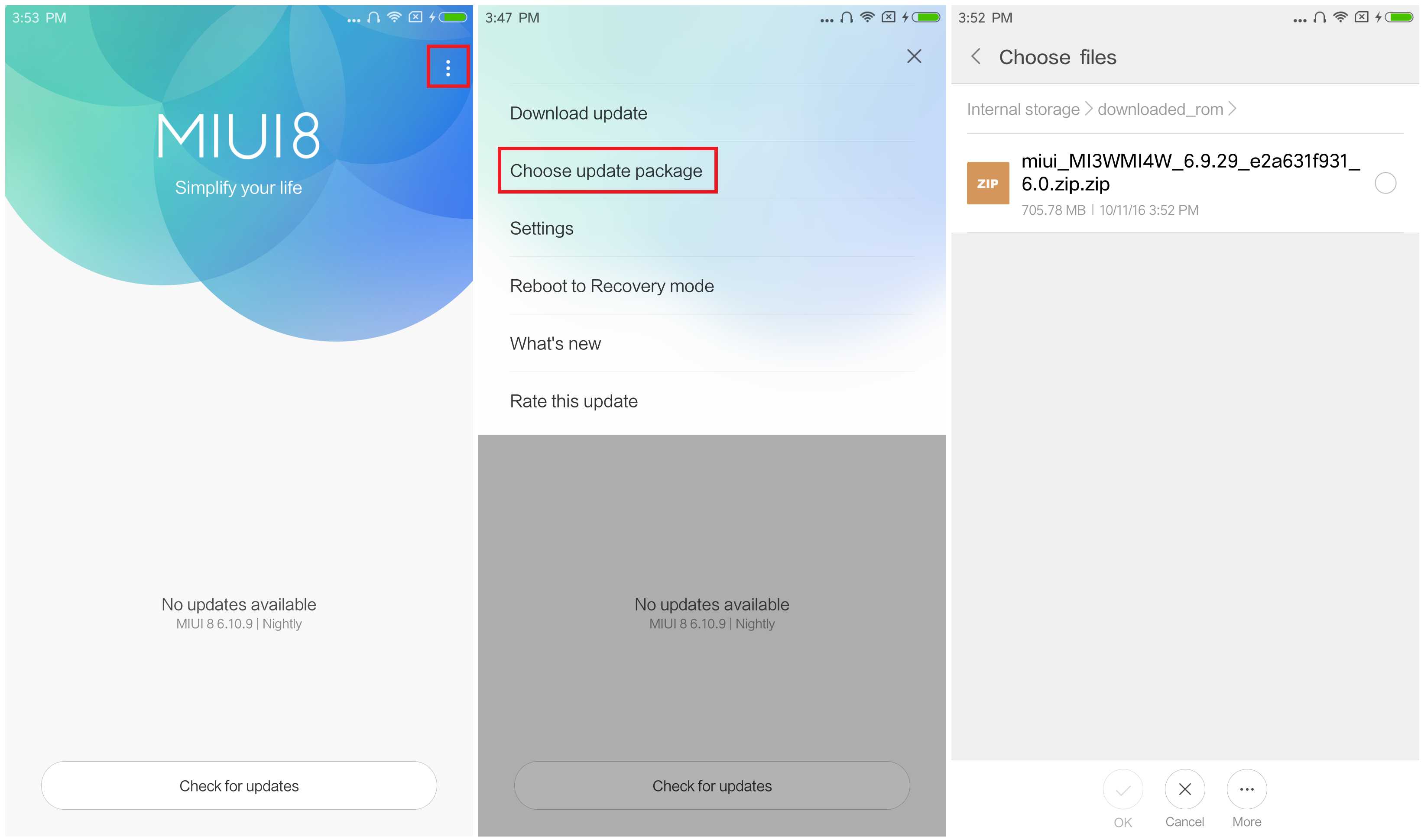
- Connect your device to the Windows PC/laptop via a micro USB cable, and copy the ROM file downloaded in Step 1 into the folder �downloaded_rom� in the internal storage of your device.
- Launch �Updater� app on your device?
- MIUI 6/7/8?Click the ��� icon at the top-right corner, select �Choose update package�, and choose the ROM file you�ve put in �downloaded_rom� in Step 2.
- MIUI V5?Press the Menu button, select �Choose update package�, and choose the ROM file you�ve put in �downloaded_rom� in Step 2.
- After choosing the right ROM file, your device will begin upgrading. Your device should automatically boot to the new version when the update is completed.
- After choosing the right ROM file, your device will begin upgrading. Your device should automatically boot to the new version when the update is completed.
download file now